
SteamOS on non-Deck hardware in 2026: What actually works, what still breaks
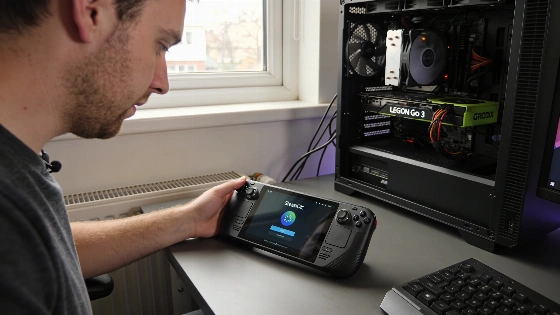
In 2026, trying to put SteamOS on anything but a Steam Deck is a reality check. You don't get a simple reset or a one-click fix. Instead, you hit a mess of official support, community workarounds, and flat-out dead ends. If your device isn't on Valve's short certified list, expect trouble.
Valve now evaluates SteamOS compatibility separately for Steam Deck, Steam Machine, and other supported devices, reflecting a shift toward multi-device support and more granular certification.
Performance can improve, but not always. On AMD hardware, SteamOS's Wayland compositor and Gamescope sometimes boost frame rates over Windows 11. That only happens if the game's Proton layer plays nice. It's not guaranteed. Nvidia users still face a mess of driver problems and broken features. Plug-and-play? Not here.
Battery life is another reason people try SteamOS, especially on handhelds. The OS comes with power profiles tuned for APU systems. You often get more playtime than with Windows 11's generic plans. But there's a catch. You lose native access to non-Steam launchers, some anti-cheat multiplayer games, and any Windows-only work software. For a pure gaming device, that's fine. For a laptop or desktop you use for other things, it's risky. Dual-booting is the only safe bet.
SteamOS 3.8.28 introduced significant improvements for non-Deck handhelds, including better VRAM management, battery optimizations, and expanded hardware support for models such as MSI Claw, OneXPlayer, AYANEO, and Lenovo Legion Go, marking a rapid evolution in cross-device compatibility.
Knowing your device's support tier is not optional. Legion Go S owners get something close to the Steam Deck experience. ROG Ally, MSI Claw, and desktop PC users need to check every step. Be ready to troubleshoot. The install process, drivers, and failure points are nothing like the Steam Deck's locked-down setup. If things break, going back to Windows isn't always easy.
If you're set on trying, the full guide covers what you need. It walks through prerequisites, step-by-step install, troubleshooting, Nvidia GPU support, comparisons with Windows 11 and Bazzite, and tips for moving Steam libraries or setting up dual-boot. SteamOS on non-Deck hardware isn't a product. It's a project. It rewards patience. It punishes shortcuts.
Valve's choice to keep full certification limited cuts both ways. It protects the Steam Deck experience. But it leaves a growing crowd of handheld and desktop gamers to figure things out alone. They rely on community patches and trial and error. For now, SteamOS is still the best way to turn a PC into a console. But only if you're ready for the risks and the rough edges outside Valve's walled garden.
