
Windows 11 thumbnail cache exposes deleted photo traces
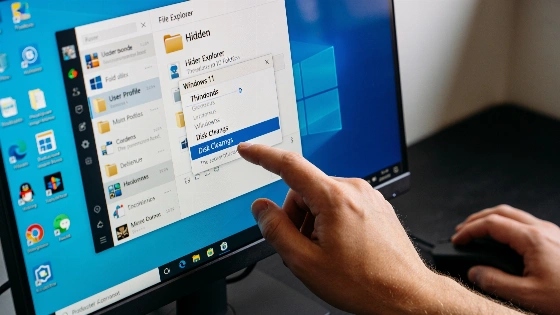
Delete a photo in Windows 11. Think it is gone? Not always. If File Explorer ever showed a preview, a small copy can stick around in the system's thumbnail cache. It hides in a database, even after you erase the original file.
Microsoft allows applications to request thumbnails without saving them to the cache by using the WTS_EXTRACTDONOTCACHE flag, ensuring that not all previews are permanently stored.
The story blew up after @Ayzacoder posted on X. The claim: Windows keeps a thumbnail of every photo you ever deleted. Thumbcache_256.db was named as proof. The post said forensic examiners pull these files all the time. It went viral-1.7 million views. But the claim was off. Not every deleted photo leaves a thumbnail. Only images that File Explorer actually previewed are cached. Downloading or copying a photo does nothing unless you view it in a folder with previews turned on. Windows Latest found the cache only fills up when a preview is made. Just having a file or moving it does not add it to the cache.
Windows Latest put this to the test. They downloaded three images, opened and deleted them, then checked the thumbcache files. No new thumbnails showed up. Even after a reboot, nothing changed. BetaNews saw the same thing. Thumbnails only appear when File Explorer shows a preview. They do not last forever. New previews can overwrite old ones. The cache rebuilds as you browse.
Practical tests by independent publications have shown that after downloading, opening, and deleting images, no new entries appeared in the thumbcache, and the cache did not change after a reboot. This demonstrates that thumbnail presence depends on whether the file was actually previewed.
Microsoft is open about this. Its documentation for the NoCacheThumbNailPictures policy spells out the risk. Anyone with access to your user profile can read the thumbnail cache. On shared or work computers, Microsoft says to turn off thumbnail caching. This policy is in Pro, Enterprise, and Education editions. It works at the user level with the NoThumbnailCache registry key.
Clearing the cache is easy. The fastest way is Disk Cleanup. Press Windows + R, type cleanmgr, pick your drive, check "Thumbnails," and confirm. Pro, Enterprise, and Education users can set the policy in Group Policy Editor. Home edition users can stop new thumbnails by turning on "Always show icons, never thumbnails" in Folder Options. This does not erase old cache files. For a manual wipe, close File Explorer and delete the thumbcache_*.db files. Windows will make new ones as you browse.
These steps do not touch your real photos. Only folder preview speed changes, and that comes back as new thumbnails are made. The real risk is on shared devices, laptops sent for repair, or disks given away without wiping. On a single-user PC with disk encryption, the risk is low.
The viral post got the process right but the scale wrong. Windows 11 does not keep a secret gallery of every deleted photo. But if you viewed a sensitive image in File Explorer, its thumbnail might stay in the cache until you clear it. If privacy matters-especially on shared or work computers-Disk Cleanup and the right policy settings are a must. Traces left by modern devices go far beyond thumbnails. But this is one digital footprint you can erase.
