iOS 27 update stalls test iPhone owners' patience
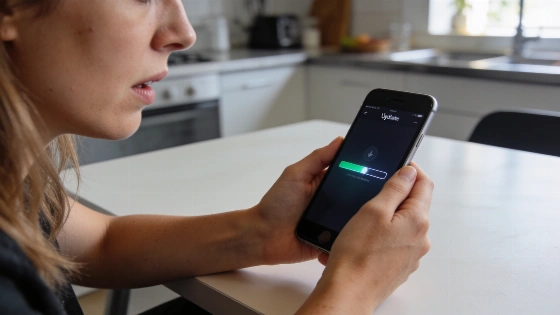
Progress bars freeze, spinners spin, and iPhone owners find themselves locked out of their devices for far longer than expected during iOS 27 updates. The clock ticks past an hour for some, especially when setting up a new phone. No one gets a clear answer from Apple on how long it should take, and elapsed time alone rarely tells the real story. Users end up wondering if the update is stalled or just crawling along.
The real clue isn't the iPhone model, but the exact screen where things grind to a halt. Stuck on 'Update Requested'? Watching a download inch forward? Facing the Apple logo with a motionless progress bar? Each symptom points to a different snag and calls for a different fix.
Apple released iOS 27.0.1 as an urgent fix for issues like unexpected restarts on iPhone 18 Pro/Pro Max after failed Face ID authentication, touchscreen freezes when opening Notification Center and Control Center simultaneously, and camera color artifacts in certain shooting conditions.
Why iOS 27 updates stall and what actually matters
Apple keeps quiet about official install times for iOS 27. User reports show wild swings. Download speed depends on Wi-Fi and update size. 'Preparing Update' and 'Verifying Update' can drag if storage is tight or the download is corrupted. Owners of iPhone 12, 16 Pro Max, and 17 all report snags at every stage, from network failures to verification errors. The model number offers no guarantees.
What matters is the screen in front of you. If 'Update Requested' hangs, check Wi-Fi, skip cellular, and make sure you're not in Low Data Mode or behind a flaky VPN. For downloads that stall, delete the update in Settings > General > iPhone Storage and try again on another network. If 'Preparing Update' never ends, clear local storage-iCloud space won't help. Stuck on the Apple logo with a progress bar? Wait it out. Apple warns the bar may freeze or restart, and forcing a reboot too soon can make things worse.
New iPhone setup and restore delays
Buying a new iPhone doesn't guarantee a smooth update or migration. During setup, the device may demand a software update before transferring data, and this can stretch well past an hour. One iPhone 12 owner spent 30 minutes downloading, another 30 preparing, then faced an even longer spinner. An iPhone 17 user waited through a failed update request. These headaches hit both old and new hardware. Network reliability, available storage, and the update package itself all play a role.
After updating, some users see apps or content stuck in 'waiting' mode. That doesn't mean the system update failed. Restoration is still running. Keep the phone plugged in and on Wi-Fi, and don't interrupt just to clear a message. For persistent restore or battery issues, ZEERA's guide on iOS 27 battery drain and overheating covers more troubleshooting steps.
Following the release of iOS 27, users reported not only freezes but also battery drain, overheating, touchscreen lag, unstable Wi-Fi/Bluetooth, and performance glitches. Apple's public notes for iOS 27.0.1 do not confirm fixes for all these symptoms.
When to escalate and what not to do
If you've cycled through wireless fixes-switching networks, deleting and redownloading, freeing up storage-and the update still fails, it's time to use a Mac or Windows PC. Open Finder or the Apple Devices app, update your computer, and connect with a reliable cable. Always try 'Update' before 'Restore.' Restore wipes your device. If you're stuck in recovery mode and the download drags past 15 minutes, let it finish and re-enter recovery as Apple recommends. Record error codes and contact Apple Support if failures keep coming, instead of chasing random forum tips.
Even the latest flagship iPhones aren't immune to software headaches. As reported earlier, new models bring their own quirks, from bugs to migration delays, regardless of price or specs. Apple confirmed that some iPhone 18 Pro Max units on AT&T may lose cellular service and calling, requiring both iOS 27.0.1 and a carrier settings update to fix, as detailed in a report by Seeking Alpha and 9to5Mac.
iOS 27's unpredictable update times don't point to user error or outdated hardware. They come from Apple's complex update process, network dependencies, and device storage realities. The only universal advice: set aside time, keep your iPhone powered and on Wi-Fi, and don't force a restart at the first sign of a slow bar. The myth of a quick, painless update doesn't hold up. Patience and targeted troubleshooting are the only tools that work.