CarPlay drops out or won't connect on iPhone 18 Pro Max
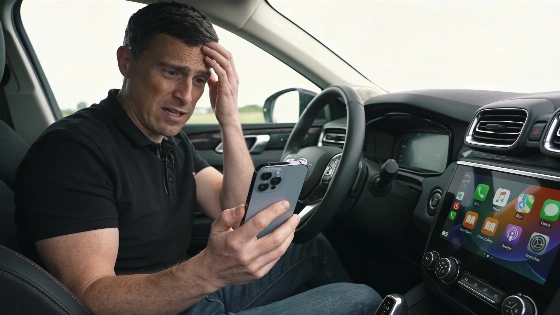
CarPlay glitches on the iPhone 18 Pro Max can catch drivers off guard. Some see CarPlay vanish from the dashboard, others get frozen apps, and a few watch the whole car screen reboot. The trouble rarely points to one clear cause. A wrong guess can burn hours or push people to buy new cables and adapters they don't need.
To get to the bottom of it, start by narrowing down the problem. Does CarPlay fail to show up at all? Does it keep dropping out? Or do only certain apps freeze while CarPlay stays open? Each case calls for a different fix. ZEERA, after checking Apple's CarPlay and temperature guidelines, lays out a step-by-step plan: check the connection, test the apps, and rule out heat before thinking about hardware replacements.
Apple has officially stated that the recent iPhone 18 Pro Max issue primarily affects cellular connectivity on AT&T, not CarPlay functionality.
How to track down CarPlay issues on iPhone 18 Pro Max
First, make sure your car actually supports CarPlay. Not every model handles both wired and wireless CarPlay, and working Bluetooth audio doesn't mean wireless CarPlay will work. Check your car's manual, note the model year and stereo, and see if you're using any third-party adapters. If CarPlay won't show up, plug in a direct USB data cable. Skip hubs and adapters, and use a port marked for CarPlay. Charging alone doesn't prove the data connection works.
For wireless CarPlay, both Wi-Fi and Bluetooth need to be on. In Wi-Fi settings, check that the CarPlay network is set to auto-join. Only pair one phone at a time. If you use a wireless adapter, follow its instructions instead of mixing steps with the car's built-in pairing. If CarPlay keeps disconnecting, try both direct USB and wireless modes, and take adapters out of the mix to see what changes.
If only certain apps like Maps or Music freeze but CarPlay itself stays up, try a different CarPlay app. Make sure location and data permissions are turned on, especially for navigation. For GPS or streaming trouble, check app permissions under Settings > Privacy and security > Location, and turn on "Precise Location" if needed. Downloading audio tracks can help you tell if the problem is with streaming or if CarPlay itself is cutting out.
According to MacRumors, Apple has clarified that the connectivity issue impacts only a small number of iPhone 18 Pro Max devices on the AT&T network, and there is no evidence that other iPhone models or carriers are affected. The company has not linked this problem to CarPlay malfunctions.
Heat, charging, and system resets
Some CarPlay problems only show up when charging or in hot weather. Apple's own support pages say wireless charging and navigation can heat up the phone, which may slow it down or break the connection. To test this, run navigation with wireless charging off and keep the phone out of direct sunlight. If CarPlay works better, heat or charging setup could be the reason. If you see a temperature warning on the iPhone, stop charging and let it cool before trying again.
Restarting both the iPhone and the car's infotainment system can clear up random bugs. Follow the car manual for a proper reboot. Don't pull the car battery or guess at button combos. If nothing changes, remove the car from CarPlay settings on the iPhone and set up pairing from scratch. Delete any old phone entries from the car's system too.
Software updates and when to get help
Always look for iOS and app updates, and check if your car stereo has new firmware. Write down your iOS version and note if the trouble started after an update-this helps if you need to contact support. Don't count on a future update to fix things unless the release notes say so. Beta software can add new problems and should be avoided while troubleshooting.
People who just switched to the iPhone 18 Pro Max have run into a mix of software bugs, as reported earlier. Still, not every CarPlay glitch comes from the phone. Car compatibility, cable quality, and even the weather can all play a part.
CarPlay failures on the iPhone 18 Pro Max almost never boil down to a single cause. The best way to fix them is to test connection, app, and heat issues one by one, changing only one thing at a time and watching what happens. Buying new cables or adapters without this kind of testing often wastes money and leaves the problem unsolved. For drivers and automakers, the takeaway is simple: careful troubleshooting beats guesswork, and knowing how the phone, car, and environment interact is the only way to get CarPlay running smoothly again.