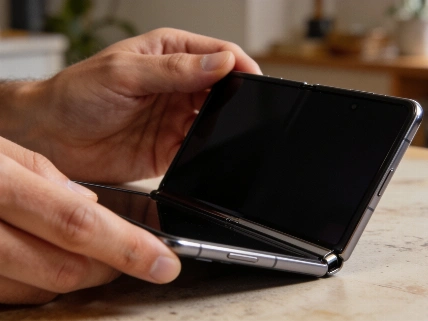
How to Fix iPhone Duo Apps Stuck in Portrait Mode
A setting, app-layout issue or fold transition can leave an iPhone Duo app upright. Here's how to identify the cause and what to try before reinstalling.
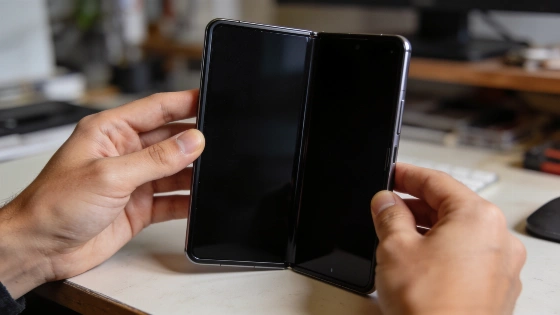
A Reddit user reported that opening Apple Wallet with the side-button shortcut after unfolding the phone appeared to switch the interface back to portrait, even with rotation lock off. The post was dated October 23, 2026, and the user said a restart resolved the issue. Apple announced that iPhone Duo became available at Apple Store locations worldwide that same Friday. It is one report, not proof that Wallet causes rotation problems generally.
For other cases, the first task is to work out whether rotation fails across the device or only in one app. That distinction matters: a setting cannot add sector support to an app that was designed for portrait, and an older layout may leave empty space on the inner display. Apple describes iPhone Duo as its first foldable iPhone, with outer and inner displays that support transitions between screen configurations. The inner display is 50 percent larger than the iPhone 18 Pro Max display, and both displays share the same aspect ratio so apps can scale proportionally as users move between them, Apple said in its developer announcement.
Check whether the problem affects one app
Turn off Portrait Orientation Lock in Control Center, then test a normal webpage in Safari on the outer display and on the unfolded inner display. Apple recommends a rotation-capable app for checking whether the issue is limited to one app. Its support procedure also advises rotating and testing the display in all four directions, then noting whether the issue is associated with media, software or the display. If several apps that normally rotate stay upright, investigate the device or iOS rather than focusing on a single app.
If Safari rotates but one app does not, that app may be portrait-only or have an unfinished Duo layout. Apple's developer guidance says fixed orientations and hard-coded screen sizes can produce awkward layouts. Developers can use arrangement and reserved-region APIs to split content around the fold or extend it across the screen, and a hinge API lets apps respond to the device's opening angle. Unfolding the phone gives the app more space; it does not redesign the interface.
This diagnosis can also help distinguish a device-wide fault from an individual app failure. A similar distinction appears in this app troubleshooting guide.
Steps to try before reinstalling
- Turn off Portrait Orientation Lock. Open Control Center, find the padlock-with-arrow icon and check that the lock is off. Close Control Center and rotate the device.
- Compare with Safari. Test a webpage on both the outer and inner displays to see whether other apps rotate.
- Close and reopen the affected app. Swipe up to the App Switcher, dismiss the app, then launch it again. This may clear a layout retained after folding.
- Test a different display state. Close Duo, reopen it and try the app full-screen instead of in Split View. This can help identify an issue tied to a fold transition or a narrower app window.
- Check for updates. Look for an app update in the App Store. For iOS, go to Settings > General > Software Update and check for a stable update.
- Restart if the problem persists. This is especially related to the topic when multiple apps are affected or the issue follows the Wallet shortcut. If it recurs, record the app and iOS versions, the screen position and the steps that trigger it.
These checks follow Apple's display troubleshooting guidance and app troubleshooting recommendations. Reinstalling is a later option for an app that remains broken; check for locally stored data before deleting it.
Why some apps leave space on the inner display
Apple describes different levels of Duo app adaptation by SDK generation. Apps built with the iOS 26 SDK or earlier may appear in a smaller centered window. An iOS 27 SDK build can resize to fill more of the inner display. Builds using the iOS 27.1 SDK or later can extend farther toward the edges with a Duo-aware interface.
Those are developer SDK versions, not settings users can change for an individual app. An updated iPhone Duo can still run older app builds. If an app remains portrait-shaped inside a sector-size window, ask its developer for a Duo-compatible update rather than searching for a universal force-sector toggle. Apple says users can discover apps optimized for iPhone Duo as developers add support for its new display and arrangement APIs.
Split View is a separate case: each app occupies half of the inner display, creating a tall phone-like window. Apple introduced Split View to let two apps appear side by side on an iPhone. A portrait-shaped app beside another app is not necessarily malfunctioning. For a website, compare its mobile and desktop layouts in Safari; the site itself may not adapt well.
When contacting an app developer, include the app name and version, iOS version, whether Duo is open or closed, the device posture and whether Split View is active. Add screenshots and the exact steps needed to reproduce the layout.
Topics: