Ford app glitches lock out drivers from remote controls
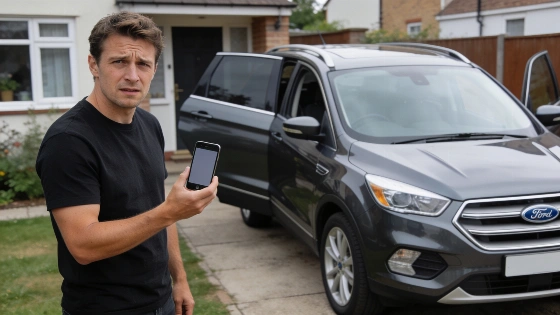
One tap on your phone, and nothing happens. Ford's app, once called FordPass, can freeze up just as you need to unlock, start, or check your car. Drivers find themselves stuck outside their vehicles, staring at a dead app instead of a dashboard.
These breakdowns usually trace back to a fragile digital chain. Your phone's data connection, the app's own stability, and the car's built-in modem all have to sync up. If any piece drops out, remote features stop cold. Instead of a running engine, you get error messages or a spinning wheel.
FordPass Connect's built-in 4G LTE hotspot can support up to 10 devices, but the complimentary data trial is limited to three months or 3 GB, whichever comes first.
Start with the basics before blaming your car. Weak Wi-Fi or mobile data often kills the connection. Switching networks, force quitting the app, or rebooting your phone can clear up minor bugs. Outdated app versions, broken cache files on Android, or missing permissions for Location and Bluetooth can block remote commands. If you use Phone As A Key, keep your physical key close before deleting or reinstalling the app.
If those steps don't work, the snag may be between your phone and the car. When the app opens but won't control the vehicle, check that Vehicle Connectivity is switched on in the car's settings. Sometimes the app asks you to reconnect or reactivate your vehicle, which means starting the engine, accepting an activation prompt on the dashboard, and confirming the connection. Both your phone and the car need a solid signal, and the car's modem must stay active for remote features to work.
Remote start failures usually point to the car itself. Using the wrong Ford Account, a car in Deep Sleep Mode, disabled Remote Start settings, or an open hood or door can all block ignition. Some models hide the setting under Vehicle > Remote Start > System. If the Check Engine light is on, remote start won't work until the fault clears. Driving the car can sometimes wake up a sleeping modem and restore the link.
When the app shows stale vehicle status or can't connect, the car's modem is often the culprit. Start the engine, check that all connectivity and data-sharing settings are on, and move to a spot with better cell coverage if needed. Some Fords let you restart the infotainment system, which can clear up temporary glitches.
Ford officially confirms that remote start, lock, unlock, vehicle status checks, and other features are only available after activating the vehicle in the Ford app. These connected services also require a compatible vehicle, an active embedded modem, and a reliable mobile network. If cellular networks are discontinued or the vehicle's hardware is limited, users may lose access to these features entirely.
Sometimes the problem sits with Ford's own servers. When Ford's connected services go down, drivers across the country lose remote access at once. If other apps on your phone work fine, check Ford's support site or Downdetector for outage reports. When Ford's network is down, no amount of troubleshooting on your end will fix it. Wait for the company to restore service before trying again.
If you've tried every fix-restarting, updating, reinstalling, reconnecting, and checking both your phone and car settings-reach out to Ford support through the app's Account section. Have your vehicle model, year, phone OS, and any error messages ready. Ford support can dig into deeper issues with account activation or modem failures.
Ford's connected car pitch depends on every link in the chain holding up. A single weak spot-whether a phone setting, a car modem, or a server outage-can leave drivers locked out of the features they paid for. Until Ford shores up its digital backbone, drivers will need to troubleshoot hard and keep a real key close by.