
Claude AI uncovers real causes behind Windows 11 driver crashes and false error logs
Windows 11's Event Viewer flagged thirteen critical system crashes in one month. Not a single real crash stopped work. The logs told a different story. Most users would never notice these errors unless they let an AI like Claude dig through the data.
Microsoft officially states that Event ID 10016 entries are expected in many scenarios and recommends against changing DCOM permissions solely to remove these logs, as it may cause unintended side effects.
Finding the real problems
Claude started by cutting out the noise. Most errors-452 identical DCOM Event 10016 entries-were just Windows complaining about a missing permission it didn't need. Microsoft documentation says these events are normal in many cases. Changing DCOM permissions to hide them is not recommended. It can cause new problems. Another chunk of the log showed 14 Microsoft Store install failures. These happened when apps tried to update while still open. They were harmless. The PC was not failing.
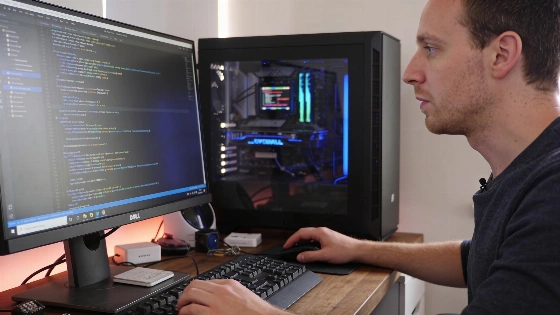
After filtering out the background noise, the real issues came up. The main one: a secondary display inside the PC case, powered by a Lian Li 8.8-inch universal screen, had been failing quietly for weeks. The lianli_display_driver.dll crashed seven times. Five of those crashes happened in just 23 seconds on one day. The related software service stopped five times. A Kernel-PnP warning about the USB device not loading showed up 30 times-almost every time the PC started. Lian Li has not confirmed these exact numbers or directly linked them to the 8.8-inch screen. These figures come from a private user log, not from the manufacturer.
How the hidden driver failure was fixed
Microsoft recommends that users experiencing driver issues should check the device details in Device Manager, including Hardware IDs and driver provider, then obtain a compatible version directly from the device or software manufacturer and restart the system after installation.
Why the crash reports were misleading
The scariest entries-13 Kernel-Power 41 events marked as critical-looked like frequent system crashes. Eight of these happened seconds after a Kernel-Boot entry showed Windows failed Fast Startup. These were not real crashes. Windows failed to load its saved state and did a normal boot. It then logged this as an unclean shutdown. Fast Startup tripped itself up. That's all.
Turning off Fast Startup stopped these false critical errors. Boots were cleaner. The risk of future driver trouble dropped. Boot times barely changed. The gain in clarity and stability was worth it.
Claude's analysis turned a mess of warnings into a clear to-do list. Problems like the failing display driver were fixed in minutes. False crash reports lost their sting. Worry about system health faded. Anyone with a Windows 11 PC and a free Claude account can let AI cut through the noise. It works.
