Windows 11 26H2 rollout targets unmanaged PCs
Microsoft began automatic delivery of Windows 11 26H2 to unmanaged devices running 24H2 or 25H2. Windows Update settings and compatibility checks affect when each PC receives it.
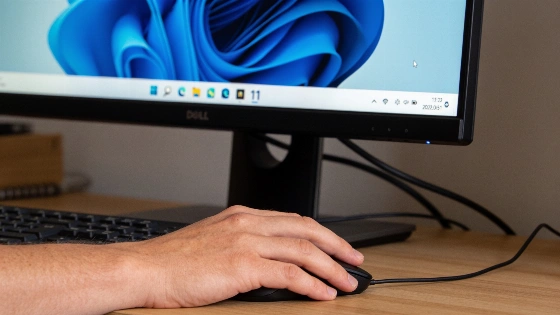
A compatibility hold can put two otherwise identical Windows laptops on different upgrade schedules. Microsoft's status-page notice says automatic delivery of Windows 11 26H2 began November 18 for devices running 24H2 or 25H2 that are not managed by an IT department.
The company described the rollout as phased. Windows Update settings and device-specific compatibility checks affect when the offer appears, so the notice does not promise a common date for every eligible PC. In separate 26H2 guidance published November 19, Microsoft said users could check for certain performance and memory improvements by opening Windows Update, turning on the option to receive updates as soon as they become available, then checking for updates.
Settings and compatibility determine the timing
Users who had already installed 26H2 manually through Settings were not expected to see a change. For others, Windows Update could download the release without a button press. The option to receive new releases as soon as they become available can bring the offer forward, while compatibility holds can block it when Windows detects a known issue.
That distinction also separates unmanaged home computers and small-business devices from PCs controlled by an IT department. Managed systems continue to use corporate deployment channels and policies. At Microsoft Ignite on November 17, Windows + Devices chief Pavan Davuluri said Windows Autopatch customers deploy updates more than 40% faster than with on-premises management. Windows 11's gradual feature delivery has also appeared in NerdsMagazine's menu customization report, though that preview involved a different feature and update path.
A small package with a recent update history
Microsoft describes 26H2 as an enablement package. It unlocks features already included in earlier monthly updates, rather than replacing the operating system through a full migration. The 24H2, 25H2 and 26H2 releases share a servicing branch and much of their code, so installation is closer to a monthly update and requires a reboot. Microsoft's November development activity also included separate Insider previews: the Beta Channel received build 26320.10003 and the Experimental Channel build 26340.10013 on November 16. Those preview builds were distinct from retail feature delivery; Microsoft warned that some channel moves would require a full Windows reinstallation.
The November cumulative update identified as KB5132061 was dated November 10 and applied to all three releases. Its entry listed build 26300.9974 for 26H2 and included a fix for a USB audio issue that caused speakers and microphones to show Code 10. For specified performance and memory improvements on 8 GB PCs, Microsoft's November 19 guidance named Windows 11 26H2 build 26300.9818 or later and Microsoft Edge 150 or later. Some improvements arrive through application updates or the Microsoft Store, including updates for Edge and Microsoft 365, as well as Teams, as detailed in Microsoft's 8 GB PC guidance.
The update history also included a disruption. An October 28 preview update left some devices in an installation loop. The reported errors were 0x80070306, 0x800f0989 and 0x800f0993. Microsoft said it began sending an automatic repair on November 11 and that affected users were resolved within 24 to 48 hours.
At the time of the rollout notice, Microsoft's status page also listed an issue involving SQL Server linked-server connections that could remain alive after October updates. The company confirmed the issue on November 12, and the page's compatibility holds could prevent affected devices from receiving 26H2.
Installing 26H2 resets the support period for compatible editions, according to Microsoft's September announcement: 24 months for Home and Pro, and 36 months for Enterprise and Education. The change also activates features that were disabled by default in 25H2. For enterprise administration, Microsoft's Ignite announcement described Windows Autopatch as a separate managed deployment route. The company also said its Windows endpoint security platform and administrator protection had reached general availability, while Windows baseline protection remained in preview.
Topics: