Universal Print Bugs Disrupt Konica Minolta and Windows 11 Printers
Some Konica Minolta printers can lose their Universal Print connection, leaving jobs pending for up to three days. A separate Windows 11 regression has a per-user installation workaround, but the supplied report lists no permanent fixes.
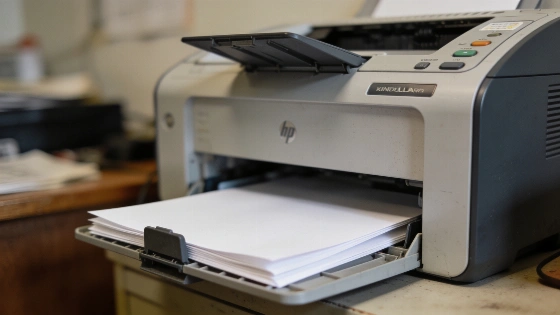
When a Universal Print device drops offline, queued jobs can remain in Pending for up to three days before the service aborts them. Microsoft has reported this behavior with certain Konica Minolta printer models and described a separate Windows 11 fault that can disable printers carried over from Windows 10.
Konica Minolta printers can lose their connection
The disconnections happen intermittently, preventing affected printers from retrieving new jobs. Administrators can check a device's Last Seen timestamp in the Azure portal: it stops updating when the printer loses communication with Universal Print.
Microsoft said it was working with Konica Minolta on the connectivity problem, but the supplied report gave no repair timeline. Administrators can also check Microsoft's website for the list of supported Konica Minolta printers.
A Windows 11 update broke some existing installations
The separate regression affects Universal Print printers originally installed on Windows 10. It appeared after Windows 11 update KB5083769, released in April 2026. Users who upgraded with that update or a later version may find their existing printers unusable, including on Windows 11 version 26H2.
- 0x80004005: Windows reports an unexpected printer configuration problem and disables the Print button.
- 0x000003e3: A test page fails with an error saying an I/O operation was aborted.
Windows printing failures can also involve the local driver layer rather than cloud-printer connectivity. A separate Microsoft Learn Q&A report describes Windows Server 2022 build 20348 Type 3 driver problems after September and October 2026 cumulative updates, which replaced shared files including PS5UI.DLL, PSCRIPT5.DLL, UNIDRV.DLL, UNIDRVUI.DLL and UNIRES.DLL. Reported symptoms included Event 808, error 0x8007078A, failed driver installations and printers reporting that their driver was not installed. The report says restoring the July 2026 files, build 26100.8875, restored printing, while later driver installation could recopy files identified as build 26100.9711 from the DriverStore. In the described workaround, administrators stopped the spooler while restoring the earlier files, then restarted the spooler. It was labeled unsupported and needed to be repeated after cumulative updates; this is a separate driver issue, not the Universal Print connectivity problem.
Microsoft acknowledged the regression in July 2026. The supplied report says no permanent fix had been released at that point, and installing the latest feature update did not resolve the issue. A separate Windows update issue affected apps using Dolby Digital AC-3, though it involved a different problem.
For the Windows 11 regression, Microsoft's workaround is to change affected printers from system-wide installation to per-user installation. The company's Universal Print known issues advisory contains instructions for the change. The separate Windows Server driver report is documented in a Microsoft Learn Q&A thread.
Topics: