Minecraft Education brings real-world science and teamwork to the classroom
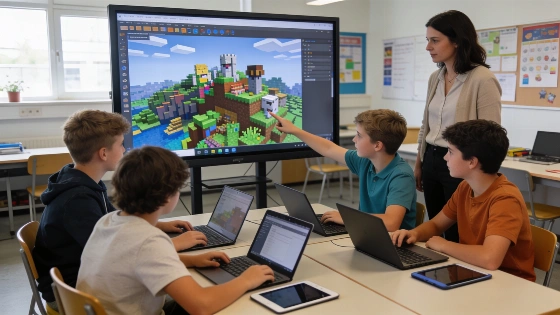
Classrooms are about to get a lot more interactive. Starting October 2025, Minecraft Education will let schools and after-school groups run their own dedicated servers. These servers keep worlds running even after class ends. Students can work on projects over days or weeks. No more starting from scratch every session. Cross-tenant play means students can join worlds hosted by other schools or organizations. The old digital walls are gone.
In a 2026 comparative review, Minecraft Education was highlighted as a desktop application supporting offline play, a teacher dashboard, progress tracking, and alignment with educational standards.
Security is built in. Students and teachers log in with their Office 365 Education accounts using Single Sign On. No new passwords to remember. Privacy stays protected. Multiplayer is safe and simple. Pictorial join codes let up to thirty students join a world. No one needs to mess with server settings.
Minecraft Education stands out for its classroom tools. The Chemistry Resource Pack, added in February 2018, lets students build and test elements and compounds. It's hands-on science. Immersive Reader makes the game accessible, reading in-game text aloud and translating for students who need it. Teachers have special blocks to shape lessons, non-player characters (NPCs) to guide students, and chalkboards to post instructions right in the world.
According to a university case study, Minecraft is increasingly used as a collaborative space and 'sandbox laboratory' in higher education, reflecting a broader trend toward project-based and cooperative learning through play.
New to Minecraft? There's a tutorial world for beginners. It covers the basics so students and teachers can get started fast. The in-game library keeps lessons and worlds organized. Premium support is always available if something goes wrong.
Teachers have strong permissions. They can join any world as an operator and adjust what other players can do. This keeps lessons on track. Whole classes can build and solve problems together. No extra server setup needed.
Minecraft Education isn't just another game version. It's built for schools. Teachers can create interactive, safe, and collaborative digital classrooms. Science, creativity, and teamwork are part of every lesson. That's the goal. This is what educational gaming looks like now.
Cloud world management works closely with Microsoft 365. According to Microsoft Support, every time a world closes, it saves to OneDrive. The first save creates a Minecraft Education folder. Users need OneDrive access and the right Microsoft 365 URLs enabled. Some features may need extra licenses.
Bedrock and Java editions don't offer the same classroom features. Minecraft Education has Classroom Mode, portfolios, MakeCode, Python, and accessibility tools. Comparative reviews confirm it's made for learning, not just play. A 2026 review by ITechGuides points to offline play and standards alignment as key strengths. The 2026 comparative review also details the platform's teaching tools and flexibility for modern classrooms.
Dedicated servers are a big part of Minecraft's future. Mojang and Microsoft have confirmed this in official updates. These servers aren't just for education, but they're a focus for 2026. They support ongoing, shared worlds across the whole Minecraft platform. Official Minecraft.net articles show how dedicated servers matter for both community and classroom use.
Project-based learning is on the rise. Minecraft Education fits right in. Colleges use it as a sandbox for teamwork and experiments. More schools are seeing the value of game-based learning. It's about preparing students for real challenges.