
First Time Gaming PC Builders Face Critical Mistakes That Kill New Rigs
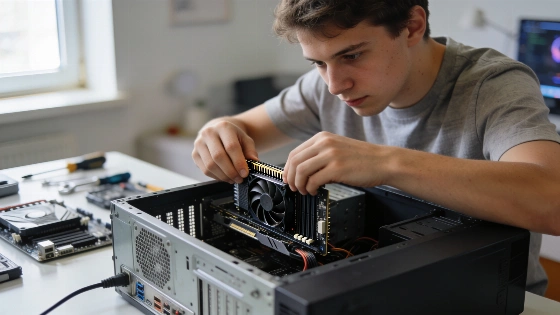
It only takes one slip to turn a $1000 gaming PC into a dead box. In 2026, first-time builders know this risk. Miss a standoff. Leave a CPU power cable half-plugged. Suddenly, your pile of high-end parts sits silent. The shock? Most of these disasters are easy to dodge. You just need to know where beginners trip up-and how to avoid the mistakes that kill new rigs.
Modular power supply cables are not universally interchangeable-using the wrong cable for your PSU model can instantly destroy your motherboard or graphics card.
Start right. Clear your desk. Grab a #2 Phillips screwdriver, a few zip ties, and a flashlight or your phone. You don't need an anti-static suit. Just touch bare metal on the case before you handle the board. The real trick? Build as much as you can outside the case. You get more light and space. Test-boot before you start routing cables. This one change turns a stressful build into a calm, step-by-step job.
Independent build-check guides emphasize that extra or missing motherboard standoffs are a leading cause of no-boot or short-circuit issues. An extra standoff can short the board, while a missing one can let it flex and cause instability.
Planning a 1440p gaming build in September 2026? Get ready for price swings. The GPU alone can push your total from $650 to $970. Memory and SSD prices are climbing too. Most solid builds land near $1000. But the real cost comes from mistakes. A fried board from a stray standoff. A dead system from a missed EPS cable. Check every part for compatibility before you buy-socket, RAM QVL, GPU length, cooler height. Miss one, and you pay for it.
First boot is the test. Plug in just the monitor, keyboard, and power. Enter BIOS. Check that the CPU, all RAM, and the SSD show up. Turn on EXPO (for AMD) or XMP (for Intel) to get full memory speed. If you skip this, you lose up to 15% of your gaming performance. Set a basic fan curve. Enable Resizable BAR. Save and exit. Only after a clean post should you start cable management. Aim for slightly positive airflow. This keeps dust out and temps down.
Windows setup is simple. Boot from a USB stick. Install to the NVMe SSD. Load the motherboard chipset driver before the GPU driver. Run Windows Update. If something seems off, check for a BIOS update. From unboxing to first login, the process tests your patience and focus. It's not about technical skill. It's about paying attention.
Hands-on testing tells the story. The reference build-Ryzen 7 9800X3D, Radeon RX 9070, dual-tower air cooler, mesh mid-tower case-delivers hard numbers. POST time, idle and load temps, Cinebench 2024 multicore scores. These prove the build works. But none of it matters if the system won't boot.
For first-timers, success comes down to checklists and discipline. Build outside the case. Push every connector until it clicks. Never skip a test boot. The gap between a working PC and a dead one? It's almost always a missed detail.
So what's the lesson for 2026 builders? The hard part isn't the tech. It's sticking to the right order and double-checking every step. Hardware is more forgiving now, but one slip still costs you. Treat the build as a careful afternoon. Don't rush. If you do, you'll get a system that posts first try and runs every game you want. That's the win. That's what counts.
