
DLSS 5 Pushes GeForce RTX 5070 Ti Stability to the Breaking Point
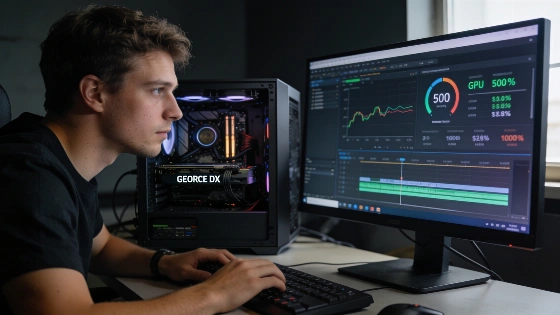
For months, GeForce RTX 5070 Ti cards ran tough games without a hitch. That changed with DLSS 5. Users now report sudden crashes and hard errors in titles that once ran smooth. DLSS 5, built to create advanced lighting and materials with AI, is pushing these cards to their edge. Overclocks and undervolts that held up in Cyberpunk 2077 with path tracing are now breaking down.
Independent reviews have shown that DLSS 5 can cause a significant drop in frame rates, with some tests on the RTX 5080 at 4K seeing performance fall to 45 FPS in NBA 2K27 and up to a 50-60% decrease in certain scenarios.
Neural rendering maxes out hardware
DLSS 5's neural rendering pipeline is the culprit. It drives the tensor units and GPU power draw to the limit. Reports show the RTX 5070 Ti can hit 300W. That is the ceiling. Small form factor cards get hit hardest. They have less room for heat. Even stable setups now buckle under the load. Fans ramp up. Temperatures spike. Cards crash.
According to PC Games Hardware, DLSS 5 and neural rendering can dramatically increase video memory usage and alter the load profile, especially at 4K resolution. In several tests, the RTX 5070 Ti with 16 GB of VRAM performed better than some competitors, but still experienced noticeable slowdowns.
Performance tuning gets a reset
DLSS 5 has changed the game for RTX 5070 Ti tuning. Yesterday's settings can mean crashes today. Enthusiasts are forced to rethink every tweak. The neural rendering load is new territory. For now, stability means giving up something-speed, low temps, or quiet fans. No one gets it all.
This is a wake-up call. AI features like DLSS 5 can flip the hardware script overnight. Owners chasing the edge must adapt, re-test, and sometimes lose their best settings. Neural rendering is here to stay. The days of set-and-forget overclocking are gone for anyone who wants both speed and reliability.
Despite the flood of user complaints, press reviews and technical breakdowns have not found a mass hardware flaw in the RTX 5070 Ti. As shown in a Gaming Bible feature, the main problem is a sharp drop in performance and higher load, not a systemic card failure.
NVIDIA's official stance, repeated in DLSS 5 Swapper documentation, is clear. DLSS 5 is made for the RTX 50-series, both desktop and mobile. Its neural rendering steps are part of the new architecture and naturally add more load. There are no official NVIDIA statements in trusted sources calling "overclocking stability issues" a known defect.
For more user stories and fixes, check the original Reddit thread.
