Connectivity Assist quietly drains phone batteries on iOS and Android
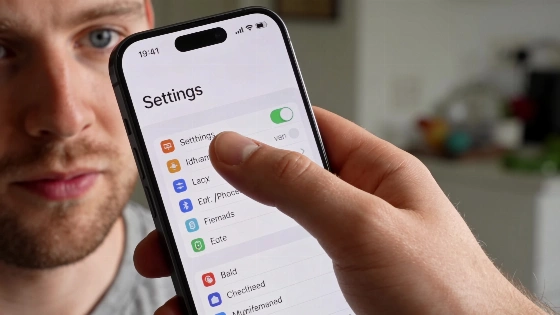
After recent updates, iPhone and Android owners have watched their batteries melt away and devices run hot. The trail leads to a little-known setting: Connectivity Assist.
Reddit threads filled up fast. One iPhone 15 Pro Max user, running iOS 27 with 89% battery health, saw Screen On Time drop to 3 or 4 hours. Disabling Connectivity Assist brought it back to 7 hours. An iPhone 16 Pro owner reported the same: overheating and rapid drain, both fixed only after tracking down and switching off the setting.
Connectivity Assist is positioned as the successor to Wi-Fi Assist, a feature that has existed since at least iOS 9, and may have been automatically enabled for some users after updating.
How Connectivity Assist quietly sabotages your battery
Connectivity Assist tries to keep your internet stable when Wi-Fi falters by switching to cellular data. But its background management can go too far, keeping cellular radios awake even when Wi-Fi is strong. That means antennas stay active and batteries drain faster.
An iDrop News analysis points out that running mobile data with Wi-Fi increases modem load, especially with weak cellular signal. Still, this does not prove Connectivity Assist alone causes battery drain on every device, or that it keeps the cellular radio on nonstop.
Turning off Connectivity Assist is a hassle. On iOS, it hides under Wi-Fi settings and must be disabled both globally and for each saved network. Otherwise, it keeps running in the background. Android users, especially on Google Pixel, face a similar problem with Adaptive Connectivity, which can drain batteries even when the phone sits idle.
How to disable the battery-draining feature
Getting rid of the drain takes patience. On Android, users need to unlock Developer Options by tapping Build Number seven times in About Phone. Then, under Settings > System > Developer Options > Running Services, they can spot and turn off Adaptive Connectivity. iOS users have to dig into Wi-Fi settings and switch off Connectivity Assist for every network profile.
Apple has not confirmed Connectivity Assist as the cause of a system-wide defect or widespread accelerated battery drain. Independent publications have described user complaints after the release of iOS 27, but there are no published Apple diagnostics or confirmed fixes.
Battery complaints are spiking as Apple gears up for its "Welcome Home" event on October 13, with new hardware on the way. Major updates often slip in changes that catch users off guard. As covered in recent reports, even flagship models can stumble after a software tweak.
After updating to iOS 27.0.1, some users blamed rapid battery drain on background reindexing and system optimization, according to Apple Support Communities. This usually lasts one or two days and offers another explanation for battery issues beyond Connectivity Assist.
Connectivity Assist and Adaptive Connectivity were supposed to smooth out mobile connections. Instead, their hidden costs are piling up. Until Apple and Google rein in these background processes, users have to dig through menus and turn them off. Disabling these features remains the only proven fix for runaway battery drain.