
Intel GPU drivers clear Windows 11 hurdles under Microsoft's new rules
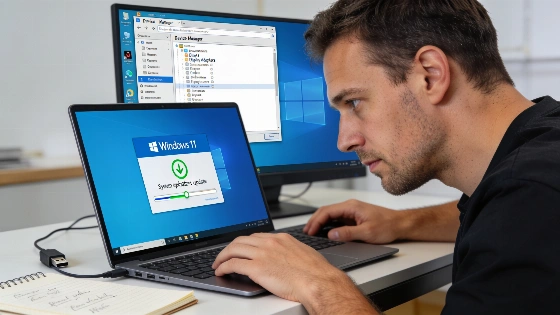
Windows users have long blamed mysterious crashes on the system itself, but the real trouble often started with a single faulty driver buried deep in the stack. Microsoft is now forcing hardware makers to face the music. The Driver Quality Initiative (DQI) brings a tougher certification process, and Intel is first out of the gate with GPU drivers built for the upcoming Windows 11 26H2 release.
Windows' reputation for broad hardware support came with a cost. Graphics, Wi-Fi, and audio drivers from outside vendors could topple the whole system with one bad memory call or a stuck thread. Until now, Microsoft's certification only flagged drivers that caused instant, visible crashes. That left users stuck with silent battery drain, overheating, and a pile of outdated drivers that never got cleaned up.
Windows 11 version 26H2 reached general availability on October 7, 2026, with a phased rollout to compatible devices running 24H2 and 25H2.
Microsoft tightens the screws on unstable drivers
The DQI is a hard reset. Microsoft's new process checks drivers for power use, heat output, app launch speed, and micro-stutters. That's a big step up from the old crash-only tests. Outdated or neglected drivers are getting pulled from Windows Update. Microsoft is also expanding its own class drivers for audio and USB Ethernet to cut down on risky third-party code. Only drivers that pass these higher bars for stability and efficiency will stay in the ecosystem.
Intel isn't waiting around. Its latest GPU drivers for Windows 11 26H2 bring stronger memory isolation, so a graphics crash can't take down the whole system. Laptops with Intel Arc graphics now handle power-state changes more smoothly, which helps battery life. Intel has also patched app launch failures and game crashes that cropped up after recent cumulative updates. This isn't a quick fix. Intel has reworked how its drivers talk to the Windows core. Microsoft's official release documentation confirms the 26H2 update is rolling out in waves, starting with devices already on 24H2 or 25H2.
Checking and updating your Intel GPU drivers
Anyone running Windows 11 (24H2, 25H2, or prepping for 26H2) can check their driver version by right-clicking Start, opening Device Manager, expanding Display adapters, and checking Properties on the Intel GPU. Intel's Driver & Support Assistant (IDSA) pulls in DQI-approved updates. A clean install is the safest bet to wipe out old settings and registry leftovers that could cause trouble. Intel's Arc driver version 32.0.101.9034 claims support for the Windows 11 September 2026 Update (26H2), but the bundled readme.txt only lists support up to 25H2. That mismatch was flagged in independent driver analysis.
AMD and Nvidia are expected to follow Intel's move. Microsoft's crackdown is already reshaping the Windows driver landscape. The DQI and Windows Resiliency Initiative are pushing out unstable code, but even official updates can still break things, as previous reporting shows. The rollout continues as vendors scramble to meet the new standards.
Intel's release notes for driver 32.0.101.9034, dated October 1, 2026, designate the package as Non-WHQL and list 26H2 as a supported version for all six product families, despite inconsistencies in the bundled documentation.
