
Aion 2 early access crashes disrupt PC launch for Founder's Pack players
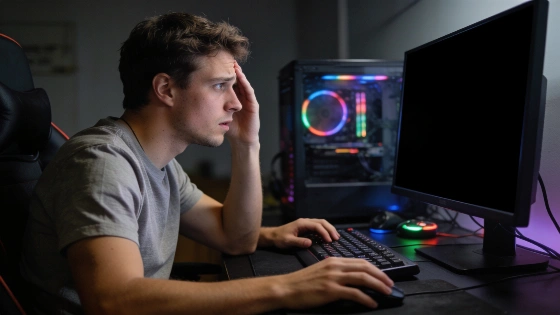
Founder's Pack buyers tried to jump into Aion 2 early. Many hit a wall instead. Black screens. Sudden crashes. For some, the game won't even start. Early access was supposed to be a reward. It turned into a headache.
Aion 2's Founder's Pack was offered in three tiers-Standard, Deluxe, and Ultimate-each granting 5-day early access and a 30-day membership, with prices ranging from $24.99 to $99.99.
What's behind the crashes? The main suspects: broken game files, old GPU drivers, not enough virtual memory, BIOS settings like ReBar, and shader cache problems. Any one of these can break Aion 2 on PC. But each has a fix.
Start with the basics. Use Steam to check Aion 2's game files. Corrupted or missing files are common. Steam's verify tool can spot and replace them. This step alone has fixed launch failures for many. Preloading for Aion 2 started September 28, 2026. But files were only unlocked on September 30. That timing caused launch errors and black screens for some, as shown in the SteamDB patch notes.
Next, check your graphics drivers. Aion 2 runs on Unreal Engine 5. Old drivers cause trouble. Whether you use NVIDIA, AMD, or Intel, download the latest drivers from the official site. Install them. Reboot your PC. Don't skip this step.
On the day early access began, the official Aion 2 account confirmed the launch was live via Steam and PURPLE, but also acknowledged delays and login queues. Independent gaming outlets reported that the early access start was postponed by at least an hour, with the actual opening occurring around 14:00 UTC instead of the initially planned 13:00 UTC.
Check your BIOS if you have ReBar (Resizable BAR) enabled. Not every game works with it. Disabling ReBar has helped some players stop the crashes. The steps depend on your motherboard.
One more thing. A broken shader cache can block the game from starting. Clear the shader cache folders for your GPU-NVIDIA, AMD, or Intel. Use the Run command to find the right folder. Delete everything inside. Then relaunch Aion 2. Sometimes that's all it takes.
Work through these fixes one by one. Most players get back in the game. The problems are real. So are the solutions. But you have to dig into your system. No magic patch is coming yet.
The global launch is close. Aion 2's early access problems show that even big MMORPGs can stumble at launch. For Founder's Pack buyers, the difference between frustration and fun is technical know-how. The developers opened the door. Now players have to fight their way in.
