Seven necessary steps to protect and set up the iPhone Duo
The nearly $2,700 foldable combines a delicate inner display with new multitasking and camera features. These setup tips cover repair costs and careful handling, with advice on using its flexible screen.
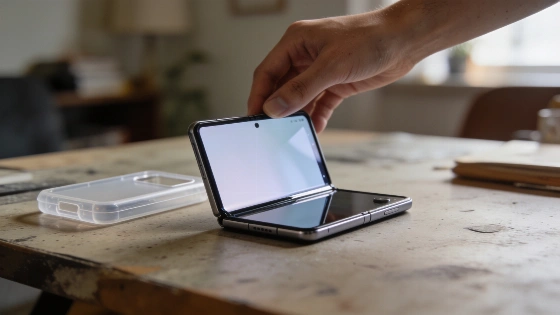
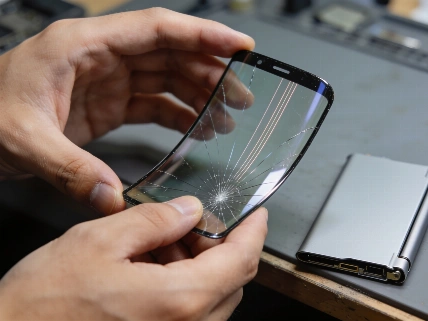
A replacement for the iPhone Duo's inner folding display could cost as much as $999 without extra coverage. That makes protection decisions consequential before the phone gets daily use. Apple describes iPhone Duo as its first foldable iPhone; its inner display is 50% larger than the iPhone 18 Pro Max display. The two screens share the same aspect ratio, allowing apps to scale proportionally as they move between the outer and inner displays, as Apple explained.
AppleCare+ brings the service fee for eligible accidental damage to the inner display down to $99. Outer-screen repairs cost $29 under the plan, while replacing the inner display's matte coating costs $19 with coverage or $49 without it.
AppleCare+ with Theft and Loss costs $19.99 per month or $199.99 per year for the iPhone Duo. Customers can enroll within 60 days of purchase. AppleCare One costs $19.99 monthly for up to three eligible devices, with each additional device costing $5.99 monthly; its family plan is $49.99 per month for eligible devices used by up to six Family Sharing members. Apple notes that plan availability and features can vary by country or region, and theft-and-loss protection is limited to eligible products and locations.
Put the foldable features to work
Sector orientation unlocks Split View, which lets two apps run side by side, the first time iPhone has supported this arrangement, Apple says. Open the first app after unfolding the phone, then swipe upward to place it on either side of the display. Choose a second app from the Home Screen to fill the remaining space. Apple identifies the A20 Pro chip as the processor powering iPhone Duo's foldable experience.
With both apps open, tap between them to save the pair in the app switcher. Split View can also show two windows from the same app, useful when comparing documents or keeping notes visible while reading. Turning the phone upright returns to a single-app view. Apple said Microsoft Word and Outlook would receive a desktop-like side-by-side experience in the weeks after its October 2026 announcement, as developers roll out apps and updates optimized for the larger display. If apps remain stuck in portrait orientation, this orientation troubleshooting guide covers possible causes and steps to try.
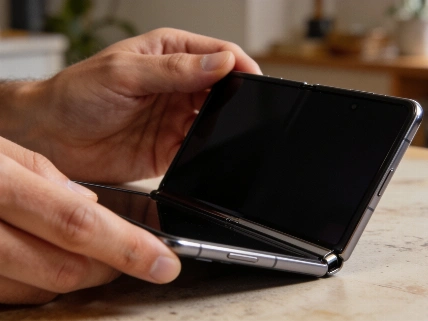
The hinge supports hands-free viewing on a desk. Set the lower half on a surface and tilt the upper half for a FaceTime call or video. A tent-like position with the outer display facing you can work on a desk or bedside table. Apple has described the device as supporting different positions and orientations, with developers optimizing apps for uses including streaming and gaming, as well as photography and multitasking.
For selfies, unfold the phone and use the outer display as a viewfinder for the rear cameras. Duo Preview shows the person in front of the camera a live image, so they can adjust their position. Kid Cue adds animated visuals to attract a child's or pet's attention.
Smart Take can capture a group photo after the phone is placed on a stable surface and everyone has gathered in front of it. StandBy offers another use for the hinge: partially fold the phone and set it on a desk to display information without connecting a charger.
StandBy includes Clock and Modular layouts alongside dedicated Calendar and Weather views. Photos supports Shared Albums. Users can adjust the appearance and choose which information appears.
Protect the inner screen from damage
Have a compatible case ready before taking the iPhone Duo out for everyday use. Its titanium frame and Ceramic Shield 2 outer display resist ordinary bumps and scratches, while the flexible inner screen is more vulnerable. Slim cases preserve the phone's profile but may offer less protection against impacts or scratches; some use adhesive strips to stay attached.
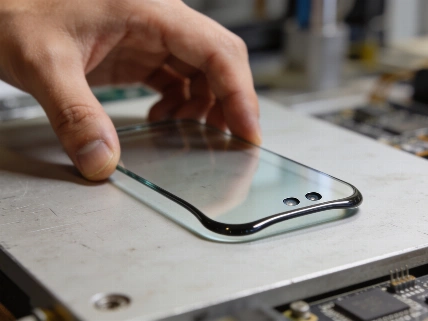
Check the inner screen for sand or grit before folding the device. Avoid pressing firmly on it, and make sure no sharp object is trapped between the two halves. Take extra care at beaches or in dusty places, where small particles can scratch the polymer surface.
Do not peel off the factory-installed protective coating. If it is damaged, contact Apple about replacement. Before applying a third-party protector or using a cleaning solution, consult Apple's care instructions for the specialized coating.
Topics: