Scrolling lag on iPhone 18 Pro Max sparks user backlash
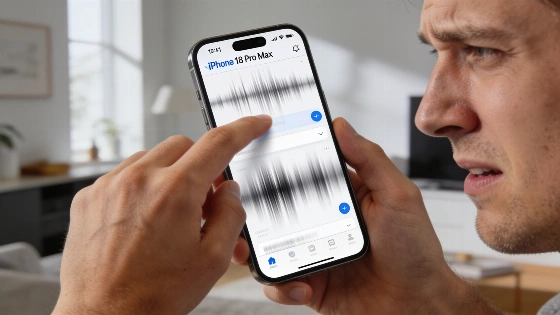
Complaints about the iPhone 18 Pro Max have started piling up in user forums and support threads. Instead of the smooth, high-refresh experience Apple touts, some owners are watching their feeds stutter and their swipes go ignored. The problem isn't always easy to pin down.
Scrolling lag can show up in two places: inside specific apps or across the entire system. Sometimes, the phone simply misses a swipe or tap. Apple's own specs hedge expectations, promising "up to 120Hz" ProMotion, but not everywhere and not all the time. The difference between a display bottleneck and a buggy app can be hard to spot.
Apple's ProMotion technology on iPhone supports adaptive refresh rates up to 120Hz, but the actual frequency depends on both system conditions and whether individual apps allow higher frame rates.
To get anywhere with troubleshooting, users have to narrow down the symptom. If Instagram or Reddit stutters but Settings scrolls cleanly, the app is likely the culprit. If system animations-like opening Control Center-are choppy, the issue may run deeper. Missed swipes or dead zones on the screen point to touch input trouble.
Apple's advice is to change one thing at a time. Start with a cool, unplugged phone. Scroll through Settings, then try the same gesture in the glitchy app. If lag only appears as new content loads, slow network or app code could be the cause. If it's everywhere, system settings or hardware may be to blame. Filming the screen with another device can help document the problem, but screen recordings won't show the real refresh rate.
Many users expect ProMotion to deliver flawless 120Hz scrolling, but Apple only promises "up to 120Hz." Low Power Mode and the "Limit Frame Rate" setting can cap the display at 60Hz, making even the best hardware feel slow. Disabling these settings is a basic step, but it won't force a constant 120Hz. A lower refresh rate feels less fluid, but missed swipes or sudden pauses suggest something else is wrong.
Apps like Instagram and Reddit often mix scrolling with heavy media loading. A hitch when a new post appears may have nothing to do with the display. Apple recommends updating the app, comparing text-only and media-heavy feeds, and testing on both Wi-Fi and cellular. If the issue sticks around, users should report the app version, iOS version, and exact steps to the developer before reinstalling-backing up drafts and downloads first.
In a hands-on review, Digital Camera World found that navigation and video editing on the iPhone 18 Pro Max were smooth and free of noticeable stutter, though this does not rule out isolated software or hardware issues for some users.
If built-in apps and system animations are also lagging, attention shifts to iOS 27. Restarting the phone, checking for updates, and making sure there's at least 1GB of free storage are all on Apple's checklist. The company notes that heat from setup, updates, or wireless charging can temporarily lower frame rates. Letting the phone cool off and retesting can reveal if temperature is a factor, but it's not a guaranteed fix.
When touch input goes haywire-swipes ignored, taps missed, or parts of the screen unresponsive-Apple's steps are blunt: restart, clean the screen, disconnect USB-C accessories, and test without a case or screen protector. If the problem won't go away, it's time for professional support. A screen protector can affect touch, but it won't slow down ProMotion. Camera filters don't fix scrolling lag either.
For users already dealing with iPhone 18 Pro Max quirks, as previously reported, the latest scrolling complaints add to the list of unresolved issues.
If severe stutter remains in built-in apps with the phone cool and all basic checks done, or if touch input keeps failing, it's time to contact Apple. Bring a clear record: phone model, iOS version, affected apps, gestures that trigger the issue, charging and temperature conditions, and a short video if possible. Factory reset is a last resort-back up data before erasing, and check your return window with the seller.
Apple's troubleshooting covers the basics, but there's still no universal fix for iOS 27. "Up to 120Hz" is not a blanket promise, and not every stutter points to hardware failure. Until Apple delivers a concrete solution, users are left to diagnose and escalate when needed. Support teams should expect a steady flow of frustrated owners demanding answers and results.