Samsung rethinks cooling advice as Galaxy Buds overheating warning surfaces
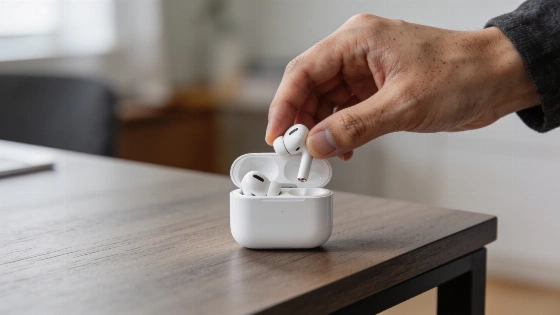
Samsung is quietly testing a new approach for Galaxy Buds users who run into overheating problems. For years, the company has told people not to put hot earbuds back in the charging case, warning that trapped heat could damage the batteries. But a recent update to the Galaxy Buds app points to a possible change in that advice.
Version 9.0.10.1724 of the app includes a new message that tells users to place both overheated earbuds in the case and wait for them to cool. This directly clashes with Samsung's current official guidance, which says to take hot earbuds out of your ears and let them cool in an open, safe spot. The old rule was simple: the case could trap heat and make things worse for the batteries. According to an Android Authority analysis dated October 7, 2026, Samsung has not confirmed any official change. The company's public instructions still say not to put overheated Galaxy Buds in the case until they have cooled down outside.
Since late 2024, Samsung's official support documentation has instructed users to immediately remove overheated Galaxy Buds and avoid placing them in the charging case until fully cooled.
Automatic shutdown and new safety features
The app update also hints at new safety tech inside the earbuds. Instead of just beeping when they get too hot, the latest firmware may now shut them down automatically. This could mean better battery and temperature protection, and possibly let the case stop charging if it senses overheating. Still, Samsung has not confirmed these changes. The new instructions might be a test or even a mistake that slipped into the app. Strings found in the app say, "The earbuds will be turned off for safety," and then prompt users to put both earbuds in the case and wait for them to cool. These details come from APK analysis, not from any official announcement.
Until Samsung updates its support pages, the safest move is to stick with the old rule: if your Galaxy Buds get hot, take them out and let them cool in the open, not inside the case. That's still the official advice. There's a clear gap between what the app now says and what the user manual tells people to do, so for now, cooling overheated earbuds outside the case remains the confirmed protocol.
Samsung has not published a separate statement confirming a new cooling procedure or automatic shutdown for Galaxy Buds, and the official documentation has not been updated as of October 2026.
What this means for Galaxy Buds owners
This possible shift in safety advice could change how people handle overheating incidents and might even shape the design of future earbuds. Samsung has a habit of tweaking both hardware and software, as shown by its recent moves to expand compatibility and tracking features across its product line.
If Samsung does roll out this new approach, it would show more trust in the latest Galaxy Buds' safety systems. But until the company updates its official guidance, users should play it safe and follow the current instructions. Wait for a clear statement from Samsung before changing how you cool down your earbuds.