Photomator rises as iPhone photo editors face a shakeup
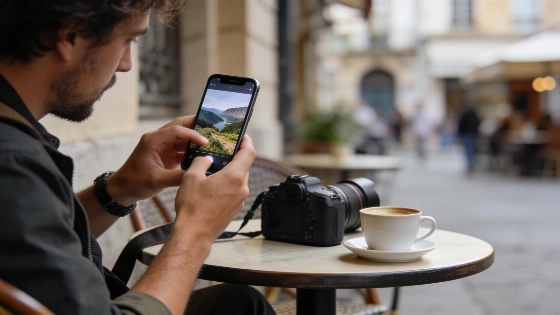
Adobe's price hike hit hard in 2025. Lightroom's annual subscription jumped to 143.88 USD. For iPhone photographers, that was a breaking point. Many started looking for a better deal. Photomator quickly became the top pick for those who want strong RAW editing without the high cost. SaaS Odds market data shows Adobe dropped its old "Photography 20GB" plan on January 15, 2025. The monthly price for current users went from $9.99 to $14.99. That changed everything for mobile photo editing.
Official Adobe materials confirm that Lightroom is a subscription-based product, offering a free 7-day trial before billing begins if the subscription is not canceled.
No app nails everything. Photomator's object removal is basic. Its perspective tools are limited. That's where other apps step up. TouchRetouch has led the pack since 2011. It's the best for removing unwanted objects-tourists, fences, you name it. In 2024, it added AI-powered people selection. Clearing crowds from city shots is now fast. The developers keep it updated. TouchRetouch stays strong while many rivals fade.
SKRWT is the go-to for fixing perspective. Most apps lower image quality when you correct lines. SKRWT keeps the resolution sharp. It offers barrel distortion fixes, freehand tweaks, and mirror effects. The 2022 update made sure it works with the latest iOS. SKRWT does one thing and does it well.
Photomator has evolved beyond a simple mobile editor, now offering RAW development, everyday retouching, batch editing, and on-device AI tools, making it a strong contender among Lightroom alternatives in 2026.
I keep my workflow simple. Fewer apps, better results. My kit is lean: Photomator for main edits, TouchRetouch for object removal, SKRWT for perspective. Snapseed is on my radar as it improves. Each app has a clear job. None try to do it all and fail.
Travel photographers need to remove objects, fix building lines, use selective edits, process RAW, and denoise-all on iPhone or iPad. This setup works. If you only want quick fixes, Apple's Photos app is enough. But if you need more, Photomator stands out. The era of one expensive, all-in-one app is over. Focused, affordable tools now lead the way. That's the new normal for iPhone photo editing. It's a good change.