Affinity Photo goes free, upending the Photoshop market
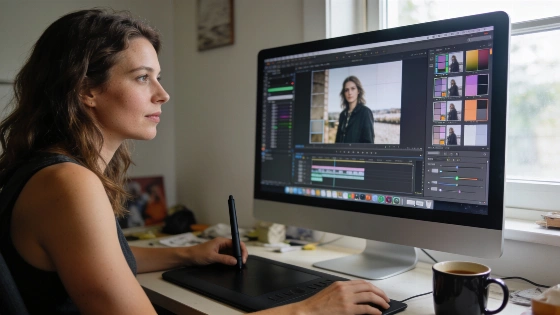
In 2026, Affinity Photo dropped its price tag. The app, once a paid staple for pros, now gives away its main features. Only a few generative-AI tools are locked behind Canva's paid plans. For anyone who wants a full-featured desktop editor without a subscription, this is a big deal. The rules just changed.
In 2026, Affinity was repositioned as a unified platform for pixel, vector, and layout editing, not just photo retouching, broadening its appeal beyond traditional Photoshop comparisons.
Photopea is the go-to for anyone who wants Photoshop in a browser. No install needed. Its interface looks and feels like Photoshop. Photopea leads the pack for PSD compatibility among free tools. It keeps layers, masks, adjustment layers, and most smart objects and effects. Ads support the site. If you need to open or edit a PSD fast, nothing beats it. Beginners might find the interface tough-just like Photoshop itself.
GIMP is still the open-source heavyweight for those who want the deepest features and don't mind a desktop app. It covers almost all of Photoshop's core ground: layers, retouching, color tweaks, and a huge plugin library. The interface takes some getting used to. But GIMP is a strong, all-purpose editor that runs locally and costs nothing.
Affinity's September 2026 update confirmed that the core desktop editor remains free for individual use, with no time limits, and now includes advanced features like RAW development, unlimited layers, batch processing, and HDR/Focus Merge. Only certain AI-powered and team collaboration tools require a paid Canva plan.
Pixlr is all about speed and simplicity. It works in your browser or as an app. Pixlr X is the quick editor for fast fixes. Pixlr E adds layers and more advanced tools. Its AI features-background removal, object removal, and image generation-make it perfect for fast, AI-powered edits. No need for a heavy desktop app.
Picking the right tool depends on what you need. Want to edit PSDs without installing anything? Use Photopea. Need a free, all-round desktop editor? GIMP is your best bet. Artists and illustrators should go straight to Krita. For quick edits or AI background removal, Pixlr is the fastest. If you want pro-level editing with no subscription, Affinity Photo's free tier now leads the pack.
Keep a few things in mind when switching tools. Always compress exported images before uploading-edited files can get huge. Use a dedicated image compressor to save bandwidth and speed up loading. Don't open a full editor just to remove a background; a specialized remover is faster. Convert between HEX, RGB, and HSL to keep brand colors consistent. Check the latest social media image sizes before you start a project.
Photoshop is still powerful. But the monthly fee is tough to justify for most. With Photopea, GIMP, Krita, Pixlr, and now free Affinity Photo, there are real alternatives for almost every editing, drawing, or quick-fix job. The smart move? Match your workflow-editing, illustration, or fast AI tweaks-to the right tool. For nine out of ten people, these free options aren't just good enough. They're the obvious pick.