
How to choose the right CPU for your next PC build
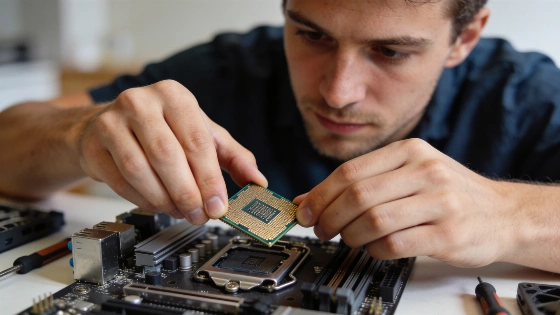
Miss the mark on your CPU and you'll pay for it. Compatibility issues. Money down the drain. A slow, frustrating machine. The processor is the heart of your PC. It decides if your system flies or crawls.
In Google Cloud's Compute Engine, most virtual machine series use a '2 threads per core' scheme, with each vCPU representing a single thread, except for certain specialized platforms.
Gamers hit a wall if they chase core count alone. Most new games want high clock speeds and strong single-core power. A chip that's fast on single-threaded tasks keeps frame rates up and load times short. You don't need the most cores. For video editors, 3D artists, and designers, it flips. More cores and threads mean faster renders and smoother multitasking. Multi-threaded performance is king. If you just browse, stream, or write emails, save your cash. Budget CPUs with fewer cores and lower speeds are enough.
Specs don't stop at cores and threads. Modern CPUs use simultaneous multithreading (SMT). Intel calls it Hyper-Threading. This lets one core handle more than one thread at once. It boosts parallel performance. The Google Cloud Compute Engine documentation says most desktop CPUs now use this tech. It means better multitasking and more work from each core.
For gaming and interactive 3D workloads, CPU performance cannot be judged by core count alone-official materials from hardware vendors and cloud providers emphasize the importance of frequency, architecture, and thread-level parallelism.
Don't get stuck on brands. Intel and AMD both have strong options. Intel chips are known for single-core speed and high clocks. Gamers love them for that reason. AMD gives you more cores and threads for your money. That's great for creators and multitaskers. New AMD Ryzen CPUs have closed the gaming gap. Now, you have real choices if you want flexibility without overspending.
Check compatibility first. Your CPU must fit your motherboard's socket and chipset. Intel uses LGA. AMD uses AM4. Get this wrong and you'll waste time and money. Power matters too. High-end CPUs need more watts. You might need a stronger power supply. Cooling is not optional. Air coolers are cheap and simple. Liquid coolers handle more heat if you push your CPU hard. Always check if your cooler can handle your CPU's thermal design power (TDP). If not, you risk overheating. That's a recipe for throttling.
Budget is more than the price tag. Entry-level CPUs ($50-$150) are fine for basics. Mid-range chips ($150-$300) work for gaming and multitasking. High-end CPUs ($300-$1000+) are for pros and enthusiasts who want no limits. Spending more now on extra cores and higher speeds can delay upgrades. Software keeps getting heavier. Plan ahead.
There's no real future-proof. But you can buy smart. Pick a CPU with more cores, higher speeds, and a modern design than you need today. That keeps your PC useful as new apps and systems arrive. Pair it with RAM and storage you can upgrade later. That way, your investment lasts longer.
Every CPU choice is a trade-off. You balance speed, compatibility, and budget. The priciest chip is useless if it won't fit your board or your power supply can't handle it. The fastest clock speed won't help if your work needs more cores. The winners are the ones who match their CPU to their real needs, plan for what's next, and never skip on compatibility or cooling. Ignore the hype. Do your research. Make the right call and your PC will run fast and smooth for years.
