Gemini AI Outages Leave Users Guessing as Fixes Stall
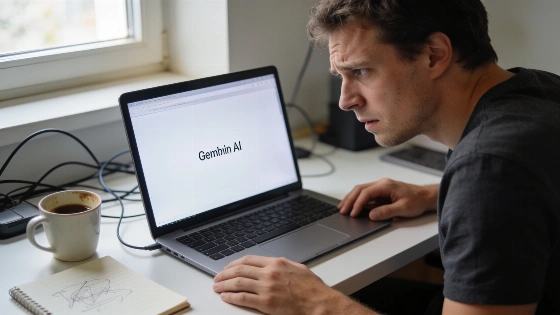
Error screens and stalled prompts hit without warning when Gemini, Google's AI assistant, goes dark. Users get no timeline, just a dead end and mounting irritation.
By midday on October 8, 2026, Downdetector had logged over 9,000 user reports about Gemini issues, with 69% related to response generation failures.
If Google's dashboard shows nothing, the troubleshooting grind begins. The culprit could be your network or device-or a hidden account block.
Tracking Down Gemini's Breaking Point
Connectivity trips up Gemini more often than most expect. Try loading other sites or swap between Wi-Fi and mobile data. If nothing loads, your network is likely the problem. A router reboot sometimes clears up invisible faults.
Browsers can also trip up Gemini. Refresh the page, start a new chat, or send a short prompt. If Gemini works in another supported browser-Chrome or Safari, for example-the original browser may have a corrupted cache or cookies. Clearing browsing data and Gemini cookies, then logging in again, often brings it back.
On October 9, 2026, user complaints about Gemini continued, but the pattern shifted to a partial outage: Downdetector recorded 213 reports from the US by 15:00 GMT+3, with 68% about response generation, 16% about the app, and 12% about the website. StatusGator tracked 616 user reports in the previous 24 hours, yet still listed the service as operational.
Account restrictions block Gemini for many. Some features need an active Google AI subscription or a personal account. Work and school logins may have admin-imposed limits. If Gemini is missing, check which Google Account is active and try switching to another. For managed accounts, only a Workspace admin can lift restrictions.
When Gemini Stays Down
If Gemini still won't load after all these steps, the problem likely sits with Google's servers or your account setup. Google's feedback tool lets you report Gemini failures and attach screenshots for clarity.
For users who depend on AI tools, Gemini outages can stall projects and block decisions. The same pattern hit ChatGPT earlier, as Nerds Magazine documented, when a bug froze new work threads until a patch landed. Even flagship AI platforms break down without warning.
What Actually Works
The fixes that move the needle: check Google's service status, test your internet, refresh or swap browsers, clear cache and cookies, update or restart the Gemini app, and confirm your account is eligible. If nothing works, file a report with Google and keep an eye on status updates. Google's own help docs push users to refresh, start a new chat, or restart the browser or app, and suggest switching to another available model to see if the glitch is model-specific, as Türkiye Today reported.
Gemini's uptime depends on Google's backend and your account permissions. Anyone relying on AI for daily work needs to know these recovery routes. Until Google tightens up diagnostics and reliability, users shoulder the burden of troubleshooting Gemini's unpredictable outages.