Erase Your X History in Minutes Using Eraser for X
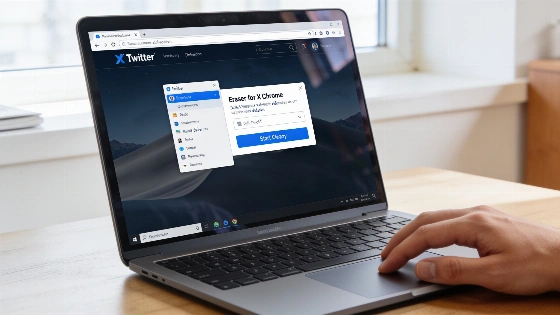
Most people give up on deleting their X history. X only lets you remove posts one at a time. If you have thousands, it feels impossible. Eraser for X changes that. This free Chrome extension lets you wipe tweets, likes, retweets, replies, bookmarks, and even unfollow accounts. You do it all in bulk, with just a few clicks. No more endless scrolling.
X's archive download includes not just tweets, but also media, account information, and in many cases direct-message records, making it the most comprehensive backup available before any mass deletion.
Before you do anything, back up your data. This is not optional. Once a tweet is gone, it's gone forever. There's no undo. X's archive tool is your only backup. Log in at x.com, go to Settings > Your account > Download an archive of your data, and request it. You'll get a ZIP file within 24 hours. It contains every tweet, like, DM, and follower. Even if you plan to erase everything, this is your safety net. Don't skip it.
Getting started with Eraser for X is simple. Install it from the Chrome Web Store. No account, no signup, no email. After installing, log in to x.com in the same browser. Click the SocialEraser icon. Wait for the status to turn green. The extension only works after you're logged in. Your data stays on your device.
Bulk deletion tools for X are limited by platform rules: only the authenticated account owner can delete their own posts, and third-party tools cannot remove replies or content from other users. Filters such as date ranges, keywords, and engagement thresholds are commonly supported to help users target specific content for deletion.
Filters are where Eraser for X stands out. Set a date range to keep recent posts. Set a minimum like count to save popular tweets. Use keywords to target certain topics. Pick post types-originals, replies, or retweets. Combine filters for more control. For example, delete all tweets before January 1, 2022, with fewer than 10 likes. The extension works at human speed, about 0.9 seconds per action. It simulates real clicks. No API calls. No scraping. For 1,000 tweets, expect about 15 minutes. For 50,000, it takes 12 to 13 hours. It runs in the background. You can pause, stop, or close your browser. The extension picks up where it left off.
Only what you select gets deleted. Eraser for X never touches your settings, DMs, drafts, profile photo, bio, username, or lists unless you check those boxes. You stay in control. If X updates its interface, remote updates keep the extension working. No need to reinstall.
Safety is built in. If you hit a rate limit, the extension pauses. It waits for X to lift the block, then continues. Your progress is saved, even if you restart your browser. You can clean up huge accounts over several sessions. No risk of missing or duplicating deletions.
Worried about account risk? Eraser for X acts like a real user. It clicks the same buttons you would, with random delays. There's no link to X Corp. Using any third-party tool is your call. But this extension's approach lowers the chance of triggering X's automated defenses.
Most questions have simple answers. You can delete tweets before a certain date. You can keep viral posts by setting a like threshold. You can bulk-undo retweets and replies. You can unfollow accounts in one go. What you can't do is undo a deletion. Once it's gone, it's gone. The extension only works in Chrome or Edge on desktop. It doesn't work in the X mobile app.
If you're staring at years of old tweets, likes, or follows, Eraser for X finally makes a full reset possible. The process is fast and precise. If you back up first, it's safe. In a world where old posts can hurt job searches, rebrands, or privacy, having the power to erase your X history is real. It takes a few clicks, a backup, and some patience. That's all. For many, that's a relief.