
Darktable 5.6.2 update eliminates critical crashes and OpenCL issues
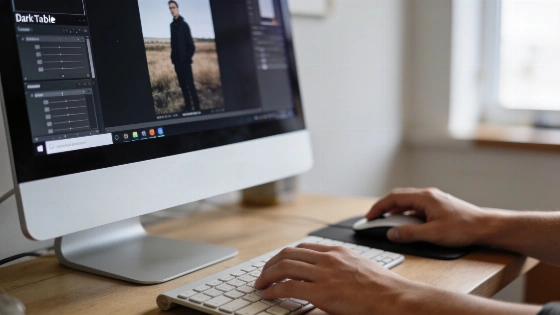
Crashes, corrupted images, and strange glitches have dogged Darktable users on both Windows and Linux for months. That ends now. The 5.6.2 update zeroes in on the worst bugs, bringing long-awaited stability to the open-source RAW editor.
The 5.6.2 release also introduces white-balance presets for the Leica SL3-P (DNG) and Sony Alpha 7R VI (ILCE-7RM6), expanding support for photographers using these cameras.
Windows stability and usability overhaul
Windows users get the biggest boost. Darktable 5.6.2 wipes out a string of stubborn crashes and freezes. Many were caused by broken custom ONNX Runtime libraries. Another fix stops Darktable from stealing focus and keyboard input from other apps during file operations or when hovering over Lighttable thumbnails. Even Alt+Tab failures, once triggered by pointer placement over thumbnails, are gone.
External command handling on Windows is now cleaner. Instead of popping up a new console window every time Darktable or a Lua script runs an external command, the app keeps a single console session for the whole run. On Windows 11 24H2 and newer, there's no console window at all. The workflow is smoother. Distractions are gone.
Crashes, memory leaks, and Lua scripting fixes
The 5.6.2 update is described as a maintenance and bug-fix release for the 5.6 stable branch, focusing on stability rather than introducing new features. It addresses crash corrections, OpenCL issues, and Windows usability problems, according to LinuxCompatible.
Memory leaks got attention too. The team plugged small leaks that happened during big import or export jobs and when pasting history stacks in Darkroom. Lua scripting is more reliable now. The script manager starts only once. User-installed script updates run from the right directory. The user's luarc file always loads.
Camera support and documentation updates
Camera support is mostly unchanged from 5.6.1. No new models get base support. But white balance presets are now available for the Leica SL3-P (DNG) and Sony ILCE-7RM6. Documentation versioning is back. The stable Darktable 5.6 manual is now separate from development docs, with a version switcher for easy access.
Upgrading from the 5.4 series? Your edits are safe, but the new library and config files won't work with Darktable 5.4. The developers urge users to back up before upgrading. Don't skip this step.
Darktable 5.6.2 is out for Linux, Windows, and macOS. Official AppImage builds are available for x86_64 and AArch64 Linux. According to a detailed Tweakers report, the Linux package includes SHA-256 checksums for download verification. That keeps downloads safe. This release is all about stability and a better user experience, especially for Windows users who have faced constant crashes. The team's focus is clear. They fixed real-world problems instead of chasing new features. That's what serious photographers need.
