
Windows 11 update frees up to 3GB of RAM for some users
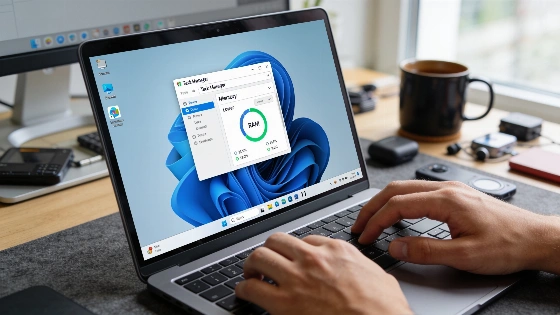
After installing the 26H2 update, some Windows 11 users are seeing a sharp drop in RAM use. The numbers are hard to miss. For a few, up to 3GB of memory is suddenly free after a reboot.
Reddit users have posted their own before-and-after stats. One saw RAM at startup fall from 6.9GB to 4.8GB. Others reported similar drops. Most gained back about 2GB. A handful hit the 3GB mark. For people who push their RAM to the limit with browsers and chat apps, this extra space changes everything. Especially on laptops where you can't add more memory. It matters.
The Windows 11 26H2 update began rolling out to the public on September 29, 2026, with Microsoft using a phased deployment for compatible devices running versions 24H2 and 25H2.
Not all users see the same results
But not everyone gets these gains. Some in the same Reddit thread saw no change after updating to 26H2. Even when background RAM use drops, it doesn't always mean faster performance or smoother multitasking. The effect depends on your hardware and what you run. No guarantees.
What the 26H2 update actually changes
Microsoft's official word on 26H2, posted September 29, calls it a minor update. The focus is security and bug fixes for Windows 11 versions 24H2 and 25H2. The update installs through servicing tech and usually needs just one reboot. It's meant to be quick. Instead of adding big new features, it turns on some options that came in earlier monthly updates. Microsoft has not said anything about RAM savings in this release. The official update documentation skips any mention of memory tweaks. So, these user reports are not a sure thing for everyone.
This update lands during a run of steady fixes for Windows 11. September patches brought back lost taskbar and Start menu features. Microsoft also returned desktop tweaks like moving the taskbar and changing Start layouts. For many, September has been a rare good month for Windows 11.
Independent testing on a three-year-old laptop with 16 GB RAM recorded a drop in memory usage from over 10 GB to about 7 GB after rebooting with 26H2 installed, though this is a single case and not representative of all systems.
How to check for the update and measure impact
Want to see if 26H2 is ready for your PC? Open Settings. Go to Windows Update. Turn on "Get the latest updates as soon as they're available." Microsoft's release health dashboard says the rollout is staged. It may not show up for everyone right away. To compare memory use before and after, keep your startup apps and workloads the same. Let your system settle before checking the numbers.
Not everyone will get a RAM windfall from 26H2. But for those who do, the extra memory is a real bonus. On laptops you can't upgrade, every gigabyte helps. Even a small drop in background RAM use can make Windows 11 feel less cramped. Until Microsoft gives official details, treat these gains as luck, not a promise. Still, for many, this is the kind of progress that counts.
