Rooting your Android phone: Power, risk, and no easy answers
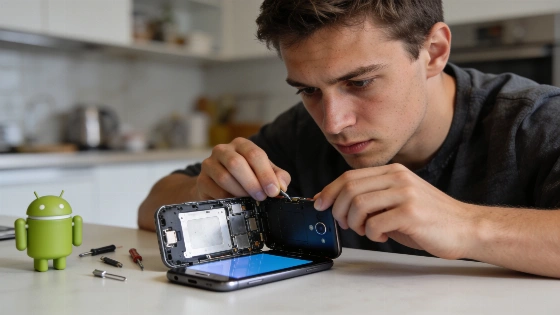
One slip can brick your phone. Your warranty? Gone. Your day? Ruined. Still, root access keeps tempting Android users. It promises control and tweaks that stock Android just won't allow. The risk is real. So is the reward.
Modern Android rooting almost always requires unlocking the bootloader, a process that is still tightly controlled by device manufacturers and often voids warranties.
The road to root is rough. Bryan Price found out the hard way. Three failed attempts to root his Note. The phone bricked. Only a factory reset saved it. Better backups and deeper tweaks sound great. But you can end up with a useless phone. For beginners, the learning curve is steep. Mistakes cost time and sometimes the device itself.
Android is built for customization. Rooting takes that to the edge. Benbb points out that Xposed frameworks let you erase things like carrier logos or fix tiny annoyances. Hate the AT&T logo in your status bar? Root can remove it. Even the smallest gripes can disappear-if you're willing to put in the effort.
Recent Android repair and customization guides continue to emphasize that using official OEM recovery tools and factory images is the safest first step, while third-party flashing and rooting are consistently framed as higher-risk options for experienced users.
Some say rooting is safe enough. Most changes can be undone. Security is manageable if you avoid shady apps. Jkrmnj says regular backups and going back to stock software can fix most problems. But "most" is not "all." SD Gator lost game progress after updates broke root. The backup-wipe-restore cycle wore them out. Custom ROMs bring more danger. Deathtöngue warns that XDA forums are full of horror stories: unstable ROMs, broken features, security holes, and sudden crashes. Rooting and flashing ROMs mean you take responsibility. No one promises a smooth ride.
Security experts keep warning: rooting changes the device's security boundaries. The Hacker News recently explained that Android's Linux roots mean privilege escalation bugs can still give attackers root-level control. Rooting isn't just about tweaks. It's a real security risk. Modern devices also lock down bootloaders and require OEM unlocks. Most current rooting guides for Samsung and others still need you to unlock the bootloader and patch the boot image with tools like Magisk. Recent technical docs on GitHub spell this out.
Then there's the warranty problem. Rooting and custom ROMs usually void your warranty. Sometimes you can unroot and hide the evidence. Not always. Manufacturers may spot tampering. Support is never certain after rooting. If you're okay with that, go ahead. If not, think again.
No single answer fits everyone. For some, rooting means a few extra features. For others, it's a total overhaul. For a few, it's a disaster. Josh says it best: the right choice is the one that works for you.
Rooting is a gamble. Sometimes it pays off. Sometimes it stings. It always demands a clear look at your needs and your risk tolerance. If you want total control and accept the fallout, rooting can make your Android device truly yours. For most, stock Android is enough. The only right answer is the one that matches your priorities-and your appetite for risk.