
Qt 6.12 LTS arrives with QML Hot Reload and GPU CanvasPainter
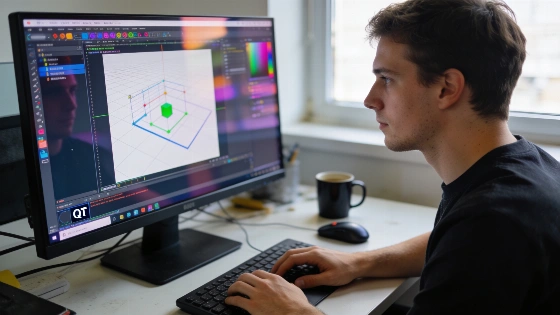
On September 30, 2026, Qt 6.12 LTS landed with a punch. Developers now have real-time QML Hot Reload and GPU-accelerated 2D graphics built in. No more endless restarts to see interface changes. Hot Reload is now part of the QML Engine. It works in Qt Creator and with the qmlpreview tool. This is a big shift for anyone building with Qt.
Qt 6.12 LTS was officially released on September 30, 2026, and is confirmed to receive five years of long-term support, making it a stable foundation for enterprise and embedded projects.
There's more. Qt 6.12 adds the Canvas2D QML element. It's modeled after the HTML Canvas API and aims to replace Qt Quick Canvas. Canvas2D is still in technology preview, but it lets developers draw shapes with JavaScript. CanvasPainter handles the GPU work in the background. This is a clear move toward web-style graphics in Qt. The Qt Blog announcement says Canvas2D is built to bring HTML5-style drawing to embedded and cross-platform UIs.
Qt Graphs gets new features. Logarithmic axes are now supported. Axis labels can be customized more deeply. Zoom and pan are built in. For heavy data workloads, there's a new CanvasPainter-based backend. It's made for dashboards and scientific apps that need to handle lots of changing data. Performance and flexibility are the focus here.
With Qt 6.12, the Qt WebEngine module is no longer bundled as a binary within the main release. Instead, it is now distributed as a separate product with its own versioning, reflecting a strategic shift in how web content integration is managed in the Qt ecosystem.
Other upgrades stand out. QRangeModel now has built-in sorting, faster search, better drag-and-drop, and more ways to customize. Networking improves with QtGrpc's new client-side message compression and message size limits. HarmonyOS is now an official LTS platform. Qt's reach just got wider.
Qt Quick 3D Physics adds more joint types. WebAssembly users get better audio and video support. Compiled resource sizes shrink thanks to resource deduplication. That saves space and speeds up deployment.
Qt 6.12 LTS will get five years of maintenance. That's a solid base for long-term projects. The commercial edition is ready for parts of the EU Cyber Resilience Act. But developers are still responsible for compliance in their own apps. As the LinuxCompatible release overview details, this is the first official CRA compliance statement for Commercial Qt. Regulatory alignment is now a real factor for frameworks.
This release is more than an update. Qt is making a clear statement. With live QML editing, GPU graphics, and new platform support, Qt wants to stay essential for developers who need speed and flexibility. The message is simple. Qt is not standing still.
