
Windows 11 Insider Build 29680.1000 brings new Share pinning and File Explorer tweaks
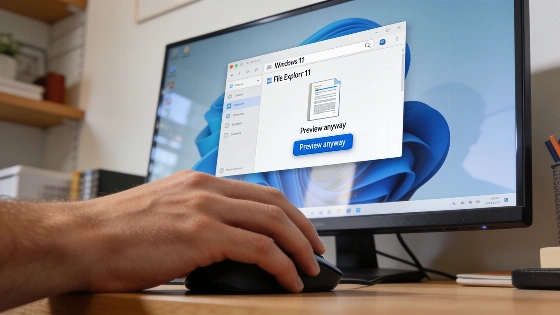
Windows 11 testers just got a new experimental build. Microsoft pushed out Insider Preview Build 29680.1000 for the Future Platforms channel. The update brings small but real changes to File Explorer and Windows Share. But not everything is fixed. Performance slowdowns are still a problem for many users.
Build 29680.1000 is associated with the rs_prerelease branch and is available for both amd64 and arm64 architectures, as confirmed by independent trackers.
File Explorer and Settings get small upgrades
File Explorer now handles downloaded HTML files better. If you open one, you get a "Preview anyway" button. You can see the file's contents right away. Other file types like PDFs still show previews automatically. Microsoft also fixed a bug that put a strange bar in some file previews. The interface looks cleaner now. These changes match what Comss reported in its coverage of new Insider features.
Settings got a small but useful tweak. Go to Settings > Apps > Installed apps. Now you see version numbers for packaged apps right in the list. No more digging through menus to check which version you have. This helps anyone who manages lots of apps.
Fixes for USB audio, Remote Desktop, and more
Build 29680.1000 brings several important fixes. USB Audio Class 1.0 devices, like multichannel USB headsets, work again. These devices broke after recent updates. Remote Desktop users get a fix for session window sizing. Family Safety messages and taskbar visuals are also improved. Microsoft tackled a severe system lag that could get worse the longer you used the system. But not all slowdowns are gone.
Microsoft's October 2 Insider rollout was not limited to Build 29680.1000; it also included Beta-channel 26H1 and Experimental-channel 26H1 updates, reflecting a coordinated multi-channel release strategy.
Experimental build, real risks
This Future Platforms build is not for everyone. It is a test bed for new features and fixes. Alongside Build 29680.1000, Microsoft released a 26H1 Experimental Build with Cloud Rebuild changes and a new Beta Build with updates to Magnifier and File Explorer.
The latest build brings small but real improvements. But the performance and VMware issues are still there. These builds are for testers who want to try new things and don't mind rough edges. Build 29680.1000 shows where Windows is heading. But it also shows how much work is left. Microsoft is more open about what is fixed and what is not. Until the performance drag is gone, testers should expect bumps in the road. That's the tradeoff.
