How to Make GTA VI Style AI Portraits With ChatGPT and Gemini
A photo can be reworked with ChatGPT or Google Gemini into a personalized game-inspired portrait, with follow-up prompts to adjust the setting and styling.
A phone or computer and a photograph are enough to get started; no gaming console or high-performance computer is required. The workflow needs a clear photo and a detailed prompt for an image-generation tool.
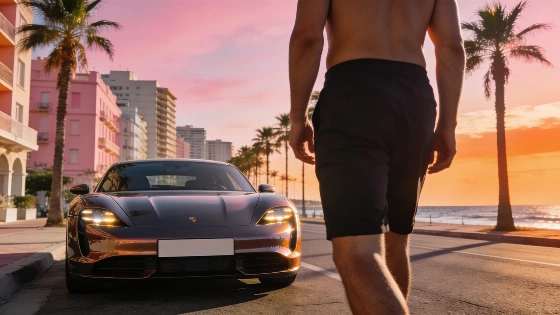
The trend turns selfies into colorful, cinematic character portraits inspired by the visual language associated with Grand Theft Auto VI. Images often place people in coastal settings, framed by palm-lined streets or neon-lit buildings, with luxury vehicles and saturated sunset skies adding to the scene. Some users choose an illustrated poster treatment, while others aim for a more photorealistic in-game screenshot look. The images are commonly shared on Instagram Stories and WhatsApp statuses. The style is user-generated and inspired by the game; it is not an official Rockstar Games product or campaign.
For more prompt ideas, an earlier photo prompt guide covers game-inspired scenes made with ChatGPT and Google Gemini.
Making a portrait with ChatGPT
Start by uploading a clear photo to ChatGPT. A front-facing portrait with even lighting gives the image generator clear facial details to work from, though preserving an exact likeness is not guaranteed. OpenAI's image creation guidance describes using an uploaded image as a reference for a visual transformation.
- Open ChatGPT on a phone or computer.
- Upload the photograph you want to transform.
- Describe the game-inspired look and the background you want.
- Ask ChatGPT to keep your facial features recognizable. Specify that your hairstyle and overall appearance should remain recognizable as well.
- Generate the image, then request changes to the clothing or lighting. You can also adjust the composition or surroundings.
- Save the finished artwork and upload it to Instagram Stories or another social platform.
A prompt can describe a vertical 4:5 composition with a coastal backdrop, accented by palm trees or neon-lit buildings, for example. Users can also specify luxury sports cars and sunset lighting, then choose a poster-like or photorealistic treatment. After the first generation, follow-up prompts can refine the scene, including its clothing or lighting, composition or background.
Using Google Gemini
Google Gemini offers a similar process. Open the Gemini app or website, sign in, choose the image generation option and upload a photo from your device. Google's Gemini image-generation page describes creating and editing visual content with its Nano Banana tool.
Describe the setting and visual treatment, including choices for lighting or clothing and the image's composition. Ask Gemini to retain your facial appearance while changing the surroundings and artistic treatment. After the first result, follow-up requests can adjust the image.
Available scene ideas include coastal or urban settings, as well as rooftops or sunset scenes. Sports cars, neon signs and palm trees can also appear in the generated artwork. These portraits draw on the visual style associated with GTA VI, rather than representing official game artwork.