GTA 6 AI Photo Prompts for ChatGPT and Gemini
ChatGPT and Google Gemini can restyle uploaded photos with Vice City-inspired settings and dramatic lighting. These prompts cover character posters and beach scenes, including neon-lit streets, while free image generation remains subject to platform limits.
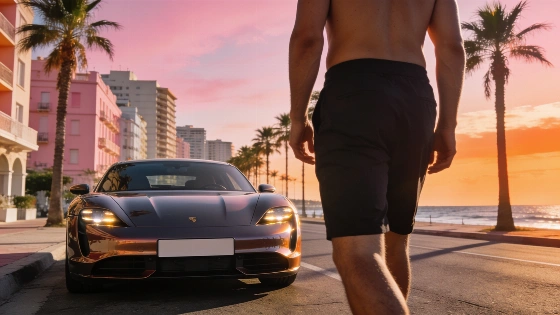
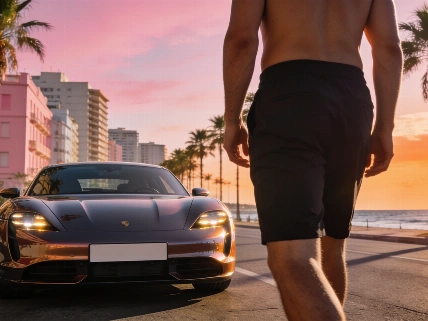
A clear, well-lit portrait gives an image generator a stronger reference for preserving someone's face as it changes the setting and visual style. Users are turning ordinary photos into colorful, cinematic images inspired by Grand Theft Auto 6 promotional artwork, with palm-lined streets and warm sunset tones.
The tools can also change clothing, lighting and backgrounds. Results depend on the photograph, the prompt and the image-generation model, so users may need to try more than one version.
Rockstar Games' support information lists November 19, 2026, as the launch date for Grand Theft Auto VI. Digital pre-orders can begin pre-loading on November 10 at local midnight, while a physical version containing a download code is listed as available from November 12 to support pre-loading. These dates describe the game's official release schedule; user-created portraits made with the prompts below are fan-made transformations. See Rockstar's GTA VI platform details and its pre-order support FAQ.
ChatGPT prompts for game-inspired photos
Open ChatGPT on a smartphone or computer, upload a clear photograph and enter a prompt. Once the image is generated, ask for specific changes to the background, clothing or lighting if needed. Save the finished image to share on WhatsApp or Instagram.
For a poster-style portrait, try:
"Turn my uploaded photograph into a polished Grand Theft Auto 6-inspired character poster. Preserve my facial identity, face shape, hairstyle, skin tone and natural features without altering my appearance. Present me as a stylish video-game character on a vibrant Vice City-inspired street, with palm trees, pastel buildings, luxury cars, neon signs and a striking sunset behind me. Use bold colours, cinematic lighting, detailed textures and the illustrated look of open-world video-game promotional artwork. Create a professional and visually powerful composition. Do not include text, a watermark or logos."
For an image that resembles gameplay, use:
"Use my uploaded photograph as the reference and keep my face, hairstyle and skin tone recognisable. Reimagine me as a realistic character from an open-world action-adventure game inspired by GTA 6. Show me walking along a busy Miami-inspired street featuring palm trees, sports cars, colourful buildings and pedestrians. Use realistic game-engine graphics, cinematic camera angles, detailed surroundings and warm evening light. The result should resemble an actual gameplay screenshot rather than a normal photograph. Do not add text or logos."
A beach scene is another option:
"Transform my uploaded photograph into a cinematic GTA 6-inspired beach scene while preserving my original facial features and identity. Place me on a beautiful Vice City-inspired beach with palm trees, a colourful sunset, ocean waves and luxury properties along the shore. Dress me in a fashionable summer outfit. Use vivid pink, orange and purple tones, dramatic golden-hour lighting and a refined video-game illustration style. Make it resemble premium promotional artwork for an open-world game. Do not include text or a watermark."
Gemini prompts for different scenes
In Google Gemini, upload a photograph and describe the desired transformation. Submit the prompt, then ask for a specific correction if the generated image changes the person's facial features or misses the intended scene. Download the final version when it is ready.
To create loading-screen-style artwork, enter:
"Convert my uploaded photograph into a Grand Theft Auto 6-inspired loading-screen illustration. Keep my face and identity recognisable. Use strong black outlines, rich colours, detailed shading and a stylised digital-painting technique. Show me posing confidently before a Vice City-inspired skyline with palm trees, luxury cars and a pink-orange sunset. Give the image a premium video-game loading-screen appearance. Use a vertical 4:5 composition and do not add text, a game logo or a watermark."
For a night setting, try:
"Use my uploaded photograph as the main reference and preserve my facial identity. Recreate me as a character in a GTA 6-inspired neon city at night. Place me beside a stylish sports car on a rain-covered street, with colourful neon lights, tall buildings, palm trees and reflections on the road. Apply cinematic night photography, realistic video-game graphics, rich colours and dramatic lighting. The final image should resemble a high-budget open-world game scene. Do not include text or logos."
For a character portrait, use:
"Transform my uploaded photograph into a stylish character-selection portrait inspired by Grand Theft Auto 6. Retain my original face, hairstyle, skin tone and expression. Show me standing confidently with folded arms and wearing fashionable streetwear. Use a colourful Vice City-inspired urban setting with palm trees, modern buildings and a sports car. Add bold illustrated details, cinematic lighting and vibrant colour grading so it looks like an official-quality video-game character portrait. Do not include text, logos or a watermark."
Choosing a photo and managing expectations
Start with a front-facing portrait in which the face is visible and evenly lit. Heavily filtered images may give the tool less useful reference detail. Describe the scene clearly, then name the visual treatment you want, such as realistic game graphics or an illustrated poster. If the result changes your face, ask the tool to restore the original facial features.
ChatGPT and Google Gemini both support photo uploads and image transformations, but results depend on the input image and prompt. Neither guarantees an exact match to the original photograph. The platforms may allow image generation without a paid subscription, although free access can have usage limits that vary by account and plan.
Rockstar's rules for user-generated content on its own services cover certain Snapmatic photos and created Jobs. The company says content meeting its stated removal criteria includes items more than 365 days old, with fewer than five ratings, and with no related play activity for 12 months. The policy also records that Snapmatic stopped being supported for Grand Theft Auto V on Xbox 360 and PlayStation 3 on March 15, 2020; photos taken before 2020 could no longer be published to Rockstar Games from March 9, 2023. These rules concern content hosted on Rockstar services. Read Rockstar's user-content policy.
ChatGPT's image features also extend beyond single-image edits; NerdsMagazine has covered its use of saved photo references. For this trend, start with a clear portrait and a prompt that spells out the scene and the identity details to preserve.