Calibre 9.17 makes ebook conversions faster
The release speeds conversion to MOBI and AZW3, with PDB conversions also faster, adds JPEG XL support and fixes problems introduced in v9.16.
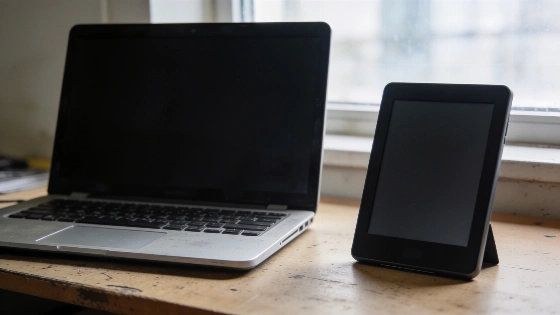
Older Kindle owners who rely on MOBI can start with EPUB files and convert them in Calibre. Version 9.17.0, released by Calibre maintainer Kovid Goyal on 23 October 2026, speeds up that process. The Calibre 9.17.0 release followed version 9.16 by about two weeks.
Output compression is faster for MOBI and AZW3, and PDB conversions also benefit. Calibre gives no percentage or benchmark timing for the speed gains. The update can read JPEG XL images in eBooks and other supported documents during conversion. JPEG XL offers high image quality at smaller file sizes and supports features such as HDR. The release also adds support for CSS Level 4 selectors.
Accessibility and conversion fixes
Calibre now respects the system prefers-reduced-motion setting. The editing Check Book tool checks for dangling ARIA references and can update them if an automatic invalid-ID repair changes the identifier they point to.
Several fixes address v9.16 regressions affecting PDF and EPUB 3 conversions. Full-text search again covers libraries with no book files, while custom series settings now save reliably when the series index matches. Kobo cover handling on older Tolino firmware has also been fixed.
Other changes make dark-mode colours more readable and update Amazon and Google Images metadata sources to use Camoufox. Calibre's AI-powered 'create your own adventure' game gets small character-selection tweaks. Catalogs now set 'calibre' as the creator and use the generation date as the publication date.
Content server and installation
In the content server, full-text search actions now apply only to the library being viewed, and switching libraries displays the correct books. The desktop app also notifies users when conversions started through the server are complete. Dark mode and keyboard-focus styling received minor adjustments.
News-source scraping has also been updated. Support improvements cover The Economist and Associated Press; Scientific American is supported too.
Calibre is free and open-source software for desktop systems, including Windows and macOS. Linux is supported as well. Downloads are available from its official website, and the source code is on GitHub. On Linux, a command-line script installs the binary, moves it to a system location and creates a .desktop shortcut. Flathub and Snap packages are also available, though they are unverified or unofficial builds and may have quirks compared with the officially supported binary.