Teams Admin Center Management Moves to Pro Portal by December 15
Microsoft's public-cloud transition schedule puts Teams Rooms on Android and panels in a November window; SIP devices follow the same timetable. Phones follow in December. Devices that miss the move could have limited management capabilities, and license tiers determine which tools admins can use in the new portal.
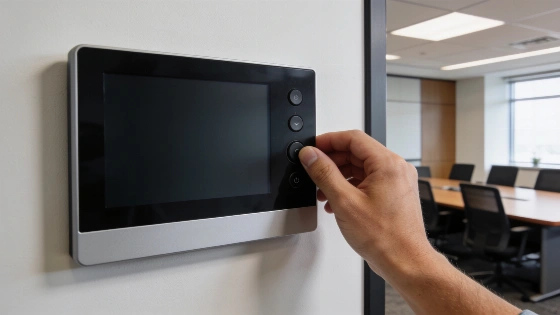
Microsoft warns that devices that miss the move could have "limited management capabilities" after Teams Admin Center features are withdrawn. The company is shifting management of Teams Rooms on Android and panels, as well as SIP devices and phones, to the Teams Rooms Pro Management portal.
Microsoft's device feature comparison lists automatic onboarding and overall device-health monitoring in the Pro portal for Teams Rooms on both Windows and Android. Connected-peripheral health monitoring, remote access and one-time-passcode capability are listed for Windows but not Android. The Microsoft feature comparison also covers Teams panels. Microsoft recommends the Pro portal for collecting device logs. Administrators can select Rooms and then the affected device. For Android devices transitioning to Intune AOSP management, device attributes such as device.displayName can be used in Conditional Access filters.
For public clouds, Microsoft's transition guide puts the start of deprecation for SIP devices, Android room systems and panels around mid-November 2026, with the process due to finish by the end of the month. Phones follow in early December, with deprecation scheduled to finish on December 15. Microsoft has not confirmed in the supplied guidance that any particular device has already lost TAC management.
Conflicting dates complicate the move
The schedule has already changed once. Message center notice MC1448373, updated on October 29, says the deprecation was "originally planned for September 2026" and was extended into November "to allow additional time for remaining feature dependencies and customer migration." UC Today reported an earlier timetable on October 2, when removal was expected to finish by the end of September.
Microsoft's Learn article contains a conflicting FAQ answer: deprecation "will begin in October 2026 and is expected to be completed by the end of October 2026." Its timeline and the message center notice give the later dates. The page does not label the FAQ answer as outdated, and the timeline says "dates are subject to refinement." Admins should use the earliest date that applies to their devices.
The notice describes a management limitation, distinct from the access disruption covered in our Microsoft 365 outage report.
Government-cloud schedules and portal access
In GCC High and DoD, TAC device administration is scheduled to start deprecating in early December and finish by December 15. GCC's window runs from early January through January 30. Microsoft does not state the year for these government-cloud dates, although 2027 is implied. Phones in all three government clouds follow the January schedule.
Government-cloud devices need Admin Agent version 856 at minimum; the public-cloud minimum is version 830. Microsoft lists several ways for an organization to qualify for portal access. At least one Teams Rooms Pro license is sufficient. Teams Rooms Basic or Teams Rooms Standard also qualify. A Teams Shared Space license, formerly Teams Shared Devices, is another route. A tenant with a Teams device already enrolled in the portal can qualify as well, a path aimed mainly at phone-only customers.
Existing phones enroll automatically once they reach Admin Agent 830. A tenant new to the portal must sign in to at least one phone to set it up. Microsoft says access is included with Teams Rooms and Teams shared device licensing, while its FAQ promises further guidance "if any licensing scenarios require attention." Microsoft's setup guidance also describes the Teams Admin Center as a way to remotely provision, sign in to and manage common-area phones, including deployments involving many phones.
Portal features depend on the license. Teams Rooms Pro includes remote configuration and device history, alongside custom health alerts and device analytics. Basic provides portal enrollment and inventory; it also supports automatic updates. The transition guide does not say whether Basic-licensed Android rooms or phone-only tenants retain every remote action they currently use in TAC.
Access also depends on roles. In Microsoft Entra ID, Global Administrator and Teams Administrator qualify. Teams Device Administrator and Global Reader qualify too. Built-in or custom portal roles are alternatives. Admins scoped to an Entra administrative unit remain locked out unless a fully privileged administrator assigns them a custom portal role.
Devices that may need manual attention
Microsoft says it is accelerating the minimum Admin Agent update beyond normal update rings, including for devices with automatic updates turned off. The updates are "NOT PAUSABLE." Devices that are offline or signed out for long periods cannot receive them, and factory-reset stock may also need attention. Microsoft's Teams device known-issues guidance also notes that Android 15 devices may appear as unmonitored in the Pro portal and expose limited management controls. It identifies Admin Agent 1.0.0.202610190119 as the resolving update. It can be deployed manually through TAC or distributed through automatic updates.
Anything below Admin Agent 794 needs OEM firmware first. After TAC management is removed, Microsoft says admins "may need to use the OEM portal to update firmware" before those devices can be managed again. Devices flagged "not connected to IoT Hub" need the required network endpoints opened.
Configuration profiles and tags can be imported; maintenance windows cannot. Teams Displays are excluded from the migration.
Admins can compare the new portal's inventory with TAC device by device, then check qualifying licenses and access roles. They can also bring idle devices online and update anything below Admin Agent 794 while TAC remains available. The end of November and December 15 are the public-cloud milestones to put on the change calendar.
Topics: